
Quick answer: The best job search websites for most people in 2026 are LinkedIn (professional roles and networking), Indeed (the largest general job board, which now also powers Glassdoor's listings), Google's job search (which pulls listings from across the web) and company career pages. Add one or two niche sites for your field, such as Dice for tech, Idealist for nonprofits or We Work Remotely for remote work, plus the main job site for your country.
You do not need twenty job sites. You need three or four that match your field and location, used well. This guide lists the main sites in each category, explains what each is best for, notes what has changed recently, and shows how to spot a fake job site before it wastes your time or worse.
What changed in the last two years
The job board landscape has shifted more than most people realise.
Glassdoor is now part of Indeed. Indeed and Glassdoor have the same owner, Recruit Holdings. Glassdoor was folded into Indeed's operations from 2025, and Glassdoor legally merged into Indeed, Inc. on 1 July 2026. In practice, a job posted on Indeed now appears on Glassdoor automatically, and Glassdoor users now sign in with an Indeed account. Glassdoor is still useful for company reviews and salary information, but you do not need to search it separately for listings.
CareerBuilder and Monster were sold off. The two former giants merged in 2024, filed for Chapter 11 bankruptcy in June 2025 and sold their businesses in separate deals. The brands still exist under new ownership, but they are no longer the force they once were. They are worth a look, not a priority.
AI tools are built into the big sites. Most major job sites now offer AI job matching, application helpers and automatic alerts. These are useful for finding roles, but be careful with one-click and automated applying. Employers are flooded with generic applications, and tailored ones perform better. Our article on how AI now reads most resumes explains why.
The big general job sites
| Site | Best for | Notes |
|---|---|---|
| Professional, office and corporate roles; networking | Your profile works as a second resume. Recruiters search it. | |
| Indeed | The widest range of jobs at every level | Now includes Glassdoor's job listings |
| Glassdoor | Company reviews, salaries, interview questions | Listings now come from Indeed |
| ZipRecruiter | US jobs, quick applications | Strong alerts and mobile app |
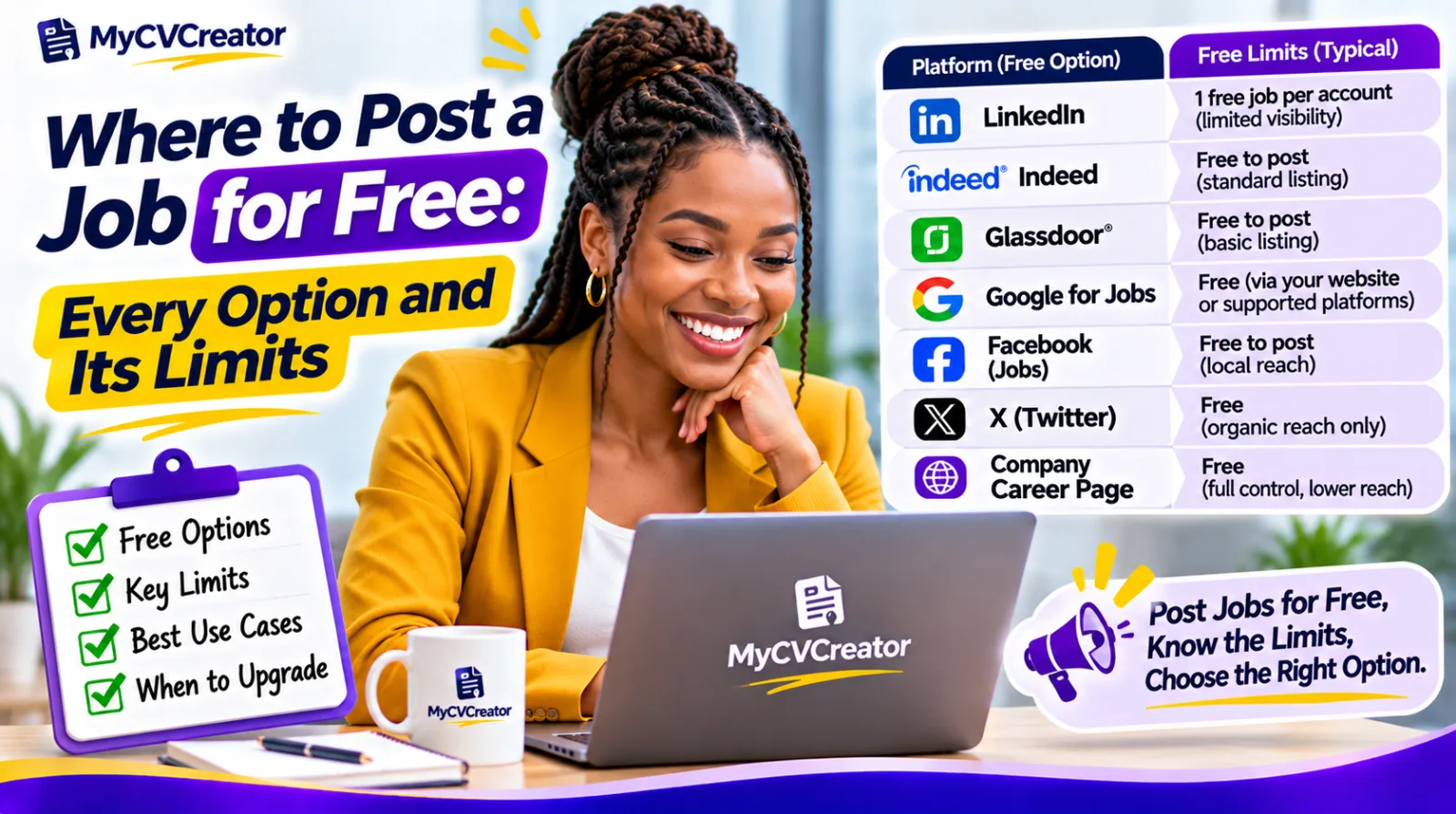
| Google's job search | Searching many sites at once | Search "jobs near me" or "[job title] jobs" on Google |
| Company career pages | Applying directly | Often the freshest listings, and sometimes the only place a role appears |
For a detailed comparison of the three biggest US sites, see our guide to Indeed vs LinkedIn vs ZipRecruiter.
Why company career pages matter
Many employers, especially large ones such as hospital systems, retailers, banks and government bodies, post roles on their own websites first, and some never post them anywhere else. Applying through the company's own careers page also puts you straight into their system, rather than through a job board that forwards your details.
The best approach: find a job on a board, then check whether you can apply on the company's own site instead. Make a list of 20 to 30 employers you would like to work for and check their careers pages weekly.
Best job search apps
All the major sites have mobile apps, and most job seekers now search on their phones. The most useful:
- LinkedIn: alerts, messaging recruiters and applying with your profile
- Indeed: fast search, saved jobs and application tracking
- ZipRecruiter: alerts and one-tap applications for US jobs
- Glassdoor: reading reviews and salary data on the go
Use apps for alerts and quick searches, but write tailored applications on a laptop where you can edit your resume and cover letter properly.
Niche job search websites by industry
Niche sites have fewer listings but far less noise, and employers who post there are often looking for exactly your background.
Technology
- Dice: tech and IT roles, from developers to analysts
- Wellfound (formerly AngelList Talent): startup jobs, often with salary and equity shown
- Built In: tech jobs at companies in major US tech hubs
- Stack Overflow and GitHub communities: for developers, plus company hiring posts
Remote work
- We Work Remotely: one of the largest remote-only job boards
- Remote.co and Working Nomads: curated remote listings
- FlexJobs: hand-checked remote and flexible jobs; requires a paid subscription
Nonprofit, charity and social impact
- Idealist: nonprofit jobs, internships and volunteering
- Sector associations' job boards, such as foundation and charity networks
Creative and design
- Behance: design and creative roles linked to portfolios
- Dribbble: design jobs and freelance work
Healthcare
- Hospital and health system career pages: most clinical and non-clinical hospital jobs are posted here first
- Specialist healthcare boards and nursing associations
- See our guide on getting hired at hospitals, Walmart, UPS and USPS
Freelance and gig work
- Upwork and Fiverr: freelance projects across many fields
- Local gig and hourly work apps vary by country
Government
- USAJOBS: US federal jobs. Our federal resume guide explains the very different resume it requires.
- National government job portals in other countries (see below)
Industry associations
Almost every profession has an association with a job board: accounting, engineering, marketing, HR, law, teaching and more. These are often overlooked and less competitive. Search "[your profession] association job board."
Best job sites by country
Global sites like LinkedIn and Indeed operate in many countries, but local sites often carry jobs that never reach them.
| Country or region | Sites to check |
|---|---|
| United States | LinkedIn, Indeed, ZipRecruiter, USAJOBS, company career pages |
| United Kingdom | LinkedIn, Indeed, Reed, Totaljobs, the government's Find a Job service |
| Canada | LinkedIn, Indeed, Job Bank (the government's job site) |
| Nigeria | LinkedIn, Jobberman, MyJobMag, company career pages |
| India | LinkedIn, Naukri, foundit, Indeed |
| Gulf states | LinkedIn, Bayt, GulfTalent, Indeed |
| Europe | LinkedIn, Indeed, EURES (the EU's job mobility portal), national job sites |
If you are applying abroad, check whether the employer can sponsor a visa before you invest time in an application. Our guides on US visa sponsorship jobs and Canada and UK work routes explain how.
Where to look for jobs beyond job boards
Job boards are only part of the market. Many roles are filled through people and direct contact, especially when hiring is slow.
- Your network: former colleagues, classmates, clients and friends of friends
- LinkedIn posts: many hiring managers announce roles in posts before listing them
- Recruitment agencies: especially for temporary, contract and specialist roles
- University careers services: many serve alumni as well as students
- Careers fairs and industry events
- Direct approaches: a short, specific message to a hiring manager at a company you admire
Our guide on job searching in a low-hire, low-fire market explains how to combine these with job boards.
Legit job sites vs scams: how to tell
Fake job ads and fake job sites are common, and they target people who are anxious to find work. Every site in this guide is a long-established, legitimate platform, but even legitimate sites can carry fake listings.
Signs a job site or listing is legitimate
- A well-known company or a site you can verify independently
- A real company name, website and contact details in the listing
- A clear job description with specific duties
- Communication through official company email addresses
- An interview process before any offer
Red flags of a job scam
- Asking you to pay for training, equipment, a background check or a "processing fee"
- An offer without an interview, or after a text-only chat
- Pay that is far too high for very easy work
- Requests for bank details, ID or passwords early in the process
- Personal email addresses such as Gmail or Yahoo for a supposed large company
- Pressure to decide quickly
- Being asked to deposit a cheque and send money on, a classic scam
If in doubt, find the company's real website yourself and check whether the job is listed there. Our full guide to job application red flags and scams covers more warning signs.
How to use job sites well
Having the right sites matters less than how you use them.
- Pick three or four sites. One general site, LinkedIn, one niche site for your field and your country's main site.
- Set up specific alerts. Use exact job titles and locations rather than broad keywords.
- Apply early. Many roles receive most of their applications in the first few days.
- Tailor every application. Match your resume to the job description. Mass applications perform poorly. Our list of skills to put on a resume shows how to match skills to postings.
- Apply on the company site where you can.
- Check if the job is still open. Some listings stay up long after hiring stops. Our guide to ghost jobs explains how to spot them.
- Keep a simple tracker of where you applied, when and what happened.
- Keep your LinkedIn profile current so recruiters who find you there see the same story as your resume.
Frequently asked questions
What is the best job search website? For most people, LinkedIn and Indeed are the best starting points because of their size. Add your country's main job site and a niche site for your field.
What are the best job search apps? LinkedIn, Indeed, ZipRecruiter and Glassdoor all have strong mobile apps for alerts and quick searches.
What are niche job search websites? Job sites focused on one industry, type of work or group, such as Dice for tech, Idealist for nonprofits, Behance for design and We Work Remotely for remote jobs.
Are job search websites free for job seekers? Most are free. A few, such as FlexJobs, charge a subscription for curated listings. Never pay a fee to apply for a specific job.
How do I know if a job site is legit? Use well-known, established sites, check listings against the company's own website, and avoid any listing that asks you to pay, offers a job without an interview or asks for bank details early.
Is Glassdoor still a separate job site? Glassdoor's operations have been folded into Indeed, and jobs posted on Indeed now appear on Glassdoor automatically. Glassdoor remains useful for company reviews and salary information.
Do Monster and CareerBuilder still exist? The brands still operate under new ownership after a 2025 bankruptcy and sale, but they are much smaller players than LinkedIn and Indeed.
Should I apply on the job board or the company website? Where possible, apply on the company's own careers page. It is often the most up-to-date listing and puts your application directly into the employer's system.
The short version
Use LinkedIn and Indeed as your base, add your country's main job site and one niche site for your field, and check the careers pages of employers you want to work for. Set specific alerts, apply early and tailor every application. Stay alert to scams: no legitimate employer will ask you to pay to get a job.
Before you start applying, make sure your resume is ready: build it on MyCVCreator.
Sources: Reworked, "Glassdoor's Long Merger With Indeed Is Finally Done," July 2026; Staffing Industry Analysts and HR Dive reporting on the CareerBuilder + Monster Chapter 11 sale, 2025.
Related reading
- Indeed vs LinkedIn vs ZipRecruiter
- Job Application Red Flags and Scams
- Ghost Jobs Explained
- How to Job Search in a Low-Hire, Low-Fire Market
- LinkedIn for the US Job Market
- Skills to Put on a Resume in 2026
- Remote Jobs: International vs US-Only
- Interview Tips for 2026