Quick answer: You can post a job for free on Indeed (up to three free posts a month in the US and several other countries), LinkedIn (one free job post at a time), your own careers page (which Google can show in its job search for free if you add the right code), government job banks such as your US state job bank, the UK's Find a Job service and Canada's Job Bank, and student platforms such as Handshake. Every free option has limits, so most small employers combine two or three.
Posting a job should not cost you anything until you know which channels actually bring good applicants. This guide covers every genuinely free option in 2026, what each one limits, which "free" offers are really paid trials, and how to get a free post seen.
Free limits change often. The details below were current in late 2026; check each site's own employer page before you post.
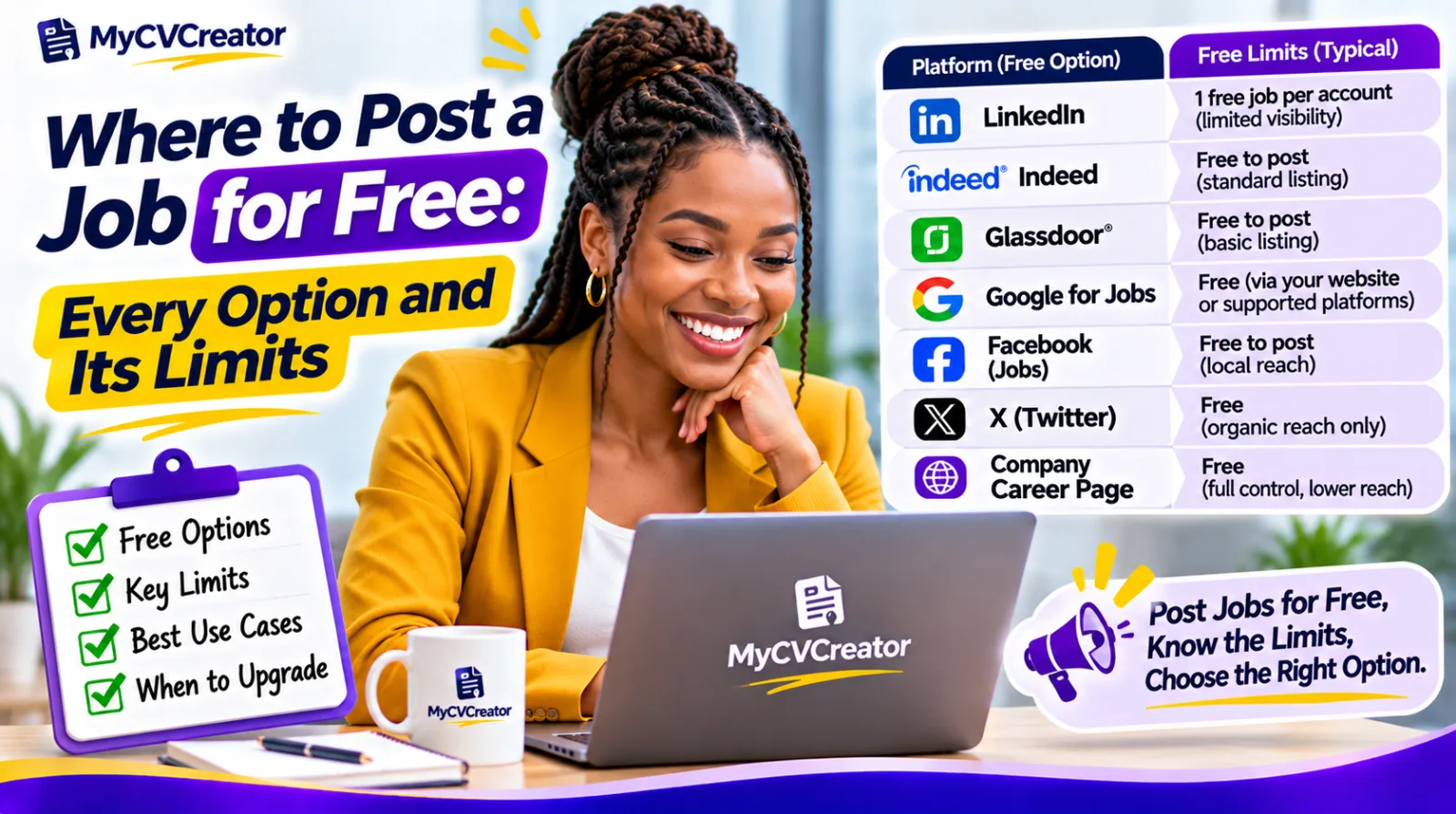
The free job posting options at a glance
| Where | What is free | The limit | Best for |
|---|---|---|---|
| Indeed | Organic job posts | Up to 3 free posts a month, each live up to 30 days; free posts appear below sponsored ones | Most roles, high volume |
| One free job post | One active free post at a time, and it may be paused after a limited period or number of applicants | Professional and office roles | |
| Your careers page plus Google | Listing in Google's job search | Requires JobPosting code on your site | Every employer with a website |
| Government job banks | Job posts | Registration required; rules vary | Local hiring |
| Handshake | Job and internship posts | Students and recent graduates only | Internships, graduate roles |
| Wellfound | Job listings | Startup and tech audience | Startups |
| Social media and your network | Posts and referrals | Reach depends on your network | Small teams, local roles |
Indeed
Indeed is the largest general job site and still the best free starting point for most employers. In the US, employers can post up to three jobs a month for free, each live for 30 days, and free posting is also offered in several other countries.
The catch: free posts appear below sponsored (paid) posts, so in busy markets they can be hard to find after the first few days. The free offer also does not apply to staffing agencies.
Good to know: Glassdoor no longer takes job postings directly. Glassdoor was merged into Indeed in 2026, and jobs posted on Indeed can appear on Glassdoor too. SimplyHired is also part of Indeed.
Tip: post early in the week, use a clear standard job title, and include the pay range. If you later need more reach, a small sponsored budget for the first few days is often enough.
LinkedIn lets you post one job at a time for free. It works best for professional, office and technical roles, where candidates are active on the platform.
The catch: you can only have one free post open at a time, free posts rank below promoted ones, and LinkedIn may pause a free post after a period or once it has received a certain number of applications.
Tip: the job post is only half of LinkedIn's value. A short post on your own profile or company page announcing the role, shared by your team, often reaches more relevant people than the listing itself, and it costs nothing.
Your own careers page, shown in Google's job search
This is the most overlooked free option. Google does not have a job posting portal, but it shows job listings in search results when you search for things like "accountant jobs in Lagos" or "warehouse jobs near me." It finds these listings on websites that include a standard piece of code called JobPosting structured data.
If you add that code to each job page on your website, your jobs can appear in Google's job results for free, alongside listings from the big job boards.
How to do it
- Create a page for each job on your website, for example yourcompany.com/careers/sales-executive.
- Add JobPosting structured data to that page. It tells Google the title, company, location, pay, posting date and closing date. Free generators online will build the code for you.
- Test the page with Google's Rich Results Test.
- Ask Google to index the page using Google Search Console.
- Remove the code or the page when the job is filled, so the listing disappears.
A simplified example of the code:
{
  "@context": "https://schema.org/",
  "@type": "JobPosting",
  "title": "Sales Executive",
  "description": "<p>Full job description here.</p>",
  "datePosted": "2026-12-01",
  "validThrough": "2026-12-31",
  "employmentType": "FULL_TIME",
  "hiringOrganization": {
    "@type": "Organization",
    "name": "Your Company",
    "sameAs": "https://www.yourcompany.com"
  },
  "jobLocation": {
    "@type": "Place",
    "address": {
      "@type": "PostalAddress",
      "addressLocality": "Lagos",
      "addressCountry": "NG"
    }
  },
  "baseSalary": {
    "@type": "MonetaryAmount",
    "currency": "NGN",
    "value": { "@type": "QuantitativeValue", "minValue": 350000, "maxValue": 450000, "unitText": "MONTH" }
  }
}
If you use a website builder or an applicant tracking system, it may add this code automatically. Be wary of anyone who charges you specifically to "post on Google": the listing itself is free.
Government job banks
Most governments run free job portals for employers:
- United States: your state's job bank, run by the state workforce agency
- United Kingdom: the government's Find a Job service
- Canada: Job Bank
- Other countries: national employment services and labour ministry portals often accept free postings
These tend to reach local job seekers, including people working with job centres and employment programmes. They are worth using for local, hourly and entry-level roles.
Student and graduate platforms
- Handshake: widely used by universities, especially in the US, for internships and graduate roles
- University careers offices: most will post your job for free and share it with students and alumni
- Student societies and departments: for specialist roles, contacting the relevant department directly works well
Niche and community options
- Wellfound: free job listings for startups
- Industry associations: many have job boards that are free or low-cost for members
- Local community groups, including neighbourhood, professional and alumni groups on social media and messaging apps
- Craigslist: free in some US cities, paid in others
- Your own social media: company pages, staff profiles and relevant groups
"Free" options that are really trials
Some sites advertise free job posting but actually offer a short trial that needs a card and turns into a paid plan:
- ZipRecruiter: a short free trial rather than a lasting free tier
- Multi-posting tools and applicant tracking systems: many offer free trials of a week or two, after which posts are archived unless you subscribe
Trials can be useful for a one-off urgent hire. Just put a reminder in your calendar to cancel.
Note also that Facebook no longer has a dedicated jobs feature. Posting in groups and on your company page still works, but the old Facebook Jobs tool is gone.
How to get applicants from a free post
Free posts compete with paid ones, so the post itself has to work harder.
- Use a standard job title. "Customer Service Representative" gets found. "Customer Happiness Ninja" does not.
- Include the pay range. Posts with pay attract more and better applicants, and in many places it is now required. See our guide to pay transparency laws.
- Put the most important details first: location, remote or on-site, hours, pay and the two or three must-have requirements.
- Keep it readable. Short paragraphs and bullet points. Our guide on how to write a job description covers the structure.
- Ask for only what you need. Long application forms cut applications sharply.
- Post on Monday or Tuesday when job seekers are most active.
- Repost or refresh when a post has dropped down the results, where the site allows it.
- Share it with your network and ask your team to share it too.
- Respond quickly. Good candidates are often off the market within a week or two.
Do not let your job post look like a scam
Job seekers are rightly wary of fake jobs. Make your listing clearly legitimate:
- Use your real company name and link to your website
- Use a company email address, not a personal one
- Describe real duties and a real location
- Never ask applicants for money, bank details or ID numbers at the application stage
- Interview before you make an offer
Our guide to job application red flags shows what candidates look out for.
When to move to a recruitment platform
Free posting works well when you hire a few people a year. As hiring grows, a recruitment platform or applicant tracking system (ATS) starts to pay for itself. It lets you post to many job sites at once, keeps all applications in one place, automates emails and interview scheduling, and often adds Google job search code for you.
Signs you have outgrown free posting:
- You are hiring for more than one role at a time most months
- Applications are scattered across email, job sites and messages
- Good candidates are slipping through because nobody replied
- Several people need to review applicants
If you are hiring abroad or do not yet have a local company, see our guide to employer of record vs PEO vs direct hiring.
Before you post: a short legal checklist
- Check the job title, duties and pay meet local employment law
- Avoid wording that could discriminate by age, sex, religion, disability or other protected characteristics, such as "young and energetic" or "recent graduate only" where not essential
- State the pay range where the law requires it
- Make sure you can legally employ the person you hire, including any right-to-work checks
Our articles on hiring your first employee and the employment law mistakes that kill small businesses cover this in more detail. This is general information, not legal advice.
Frequently asked questions
Where can I post a job for free? Indeed (up to three free posts a month in the US and some other countries), LinkedIn (one free post at a time), your own careers page with Google's job search, government job banks, Handshake for students and graduates, and your own social media and network.
Is posting a job on Indeed free? Yes, with limits. In the US, employers can post up to three jobs a month for free, each live for 30 days. Free posts appear below sponsored ones, and staffing agencies cannot post for free.
Can I post a job on LinkedIn for free? Yes. LinkedIn allows one free job post at a time. It may be paused after a set period or number of applications, and promoted posts rank higher.
How do I post a job on Google for free? Google has no posting portal. Add JobPosting structured data to the job page on your own website, or post through a job site or applicant tracking system that already sends listings to Google.
Can I still post jobs on Glassdoor? Not directly. Glassdoor is now part of Indeed, and jobs posted on Indeed can appear on Glassdoor.
Is ZipRecruiter free for employers? ZipRecruiter offers a short free trial rather than a lasting free plan. You will be charged after the trial unless you cancel.
What is the best free job posting site? For most employers, Indeed for reach, LinkedIn for professional roles and your own careers page with Google's job search. Use two or three together.
The short version
Start with Indeed and LinkedIn, add the job to your own website with JobPosting code so it can appear in Google's job search, and post on your government's job bank for local roles. Write a clear post with a standard title and pay range, share it with your network, and reply to applicants quickly. Move to a paid recruitment platform only when free posting no longer keeps up with your hiring.
Sources: Free posting limits as reported in November 2026 employer guides by Betterteam, Dover, Truffle and Apollo Technical; Google Search Central documentation on JobPosting structured data.
Related reading
- How to Write a Job Description
- Hiring Your First Employee: A Checklist
- The Employment Law Mistakes That Kill Small Businesses
- Employer of Record vs PEO vs Direct Hiring
- Small Business Payroll Guide
- Pay Transparency Laws and Salary Ranges
- Best Job Search Websites and Apps in 2026