Video Resumes in 2027: When They Help and How to Record One
When most CVs look alike, a short video is one of the few things that shows who you are. In a Canva survey of hiring managers, 65% said they prefer resumes with interactive features such as links and video, and half said they prefer video cover letters to traditional ones. An earlier LinkedIn survey found 79% of hiring managers felt video had become more important for vetting candidates.
But most employers still want a written CV first. A Robert Half survey found 78% of employers prefer traditional Word or PDF resumes, and only 3% actively want a video component.
So the winning approach is a strong written CV with an optional video link, sent where it adds something. This guide shows when that is, what to say, and how to record a video that helps rather than hurts.
When a video resume helps and when it does not
A video is worth the effort when how you communicate is part of the job, or when it answers a question your CV cannot.
It usually helps for:
- Sales, business development, and account management
- Customer service and hospitality
- Teaching, training, and coaching
- Marketing, media, and communications
- Remote roles, where employers cannot easily meet you in person
- Career changers who need to explain the story behind the switch
- International applicants who want to show spoken language skills
It usually adds little for:
- Highly regulated roles with fixed application forms, such as many government jobs
- Large employers whose applicant systems accept only documents
- Technical roles where a portfolio or code sample shows more
- Any job where the advert asks for a specific format and nothing else
The simplest rule: if the advert asks for it, send it. If it does not, add a link and let the recruiter choose. Never send a video instead of a CV.
What to say: a 90-second script
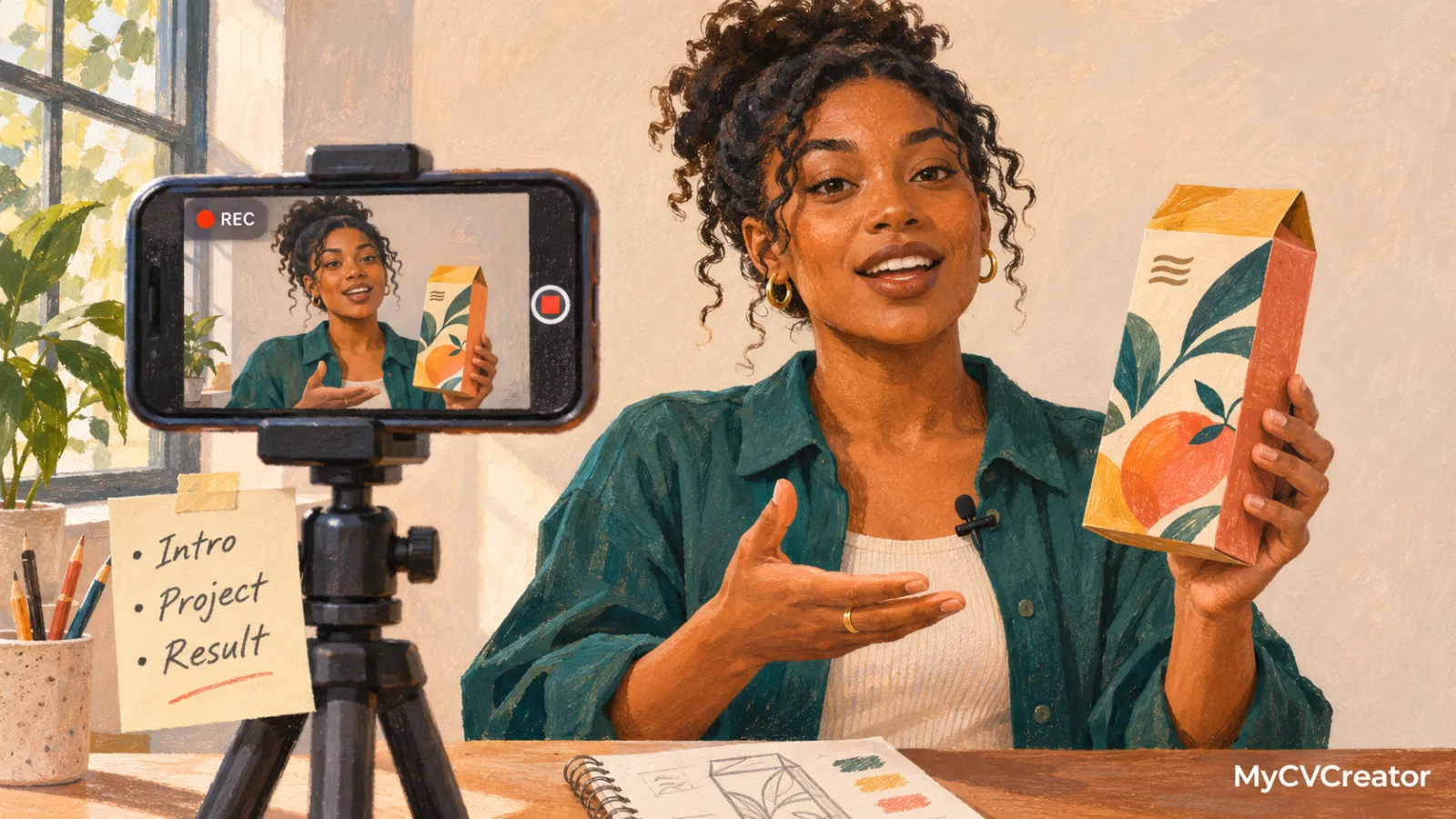
Recruiters give a video less patience than a CV. Keep it to 60 to 90 seconds and follow four parts.
Part | Time | What to cover |
|---|---|---|
Hello | 10 seconds | Your name, current role or situation, and the role you want |
Proof | 30 to 40 seconds | Two specific achievements with numbers |
Fit | 20 to 30 seconds | Why this type of role or company, in one or two sentences |
Close | 10 seconds | A short thank you and where to find your CV or contact details |
An example for a customer success role:
Hi, I'm Tolu. I've spent five years in telecoms customer service, and I'm looking for a customer success role in a software company.
Last year I led a team of nine handling about 400 calls a day, and we lifted our satisfaction score from 78% to 86% by rebuilding how we escalate complaints. I also trained every new starter on our CRM, which cut their time to full speed from six weeks to four.
I want to move into customer success because I enjoy fixing the cause of a problem, not just the call. Helping a customer get real value from a product is the part of my job I like most.
Thank you for watching. My CV and contact details are linked below.
Write your script, then speak it from bullet points rather than reading it word for word. Reading shows on camera.
How to record it
You do not need professional equipment. A modern phone and a quiet room are enough.
- Camera: use your phone's back camera if you can, which is usually sharper. Prop it at eye level on a stack of books or a cheap tripod. Record in landscape unless the platform asks for vertical.
- Light: face a window or a lamp so light falls on your face. Avoid sitting with a bright window behind you.
- Sound: record in a small, quiet room with soft furnishings. Turn off fans and notifications. Wired earphones with a microphone often sound better than the phone alone.
- Framing: head and shoulders, with a little space above your head. Look at the camera lens, not the screen.
- Background: plain and tidy. A bookshelf or wall is fine; a busy room distracts.
- Clothes: what you would wear to an interview for that role.
- Takes: record three or four times. The third take is usually the most natural.
After recording, trim the start and end so the video begins with your first word. Add captions if your tool supports them, because many recruiters watch with the sound off.
Where to put it and how to share it
A video only helps if a recruiter can open it in one click. Never attach a large video file to an email or application.
- In your CV header: add a short line beside your contact details, such as "Video introduction: [link]".
- In your cover letter or application email: one sentence is enough: "I've recorded a 90-second introduction, which you can watch here."
- On LinkedIn: add the link to your featured section.
- In networking messages: a short video can make a cold message far more memorable.
Use a link that works on any device without signing in. The MyCVCreator video resume tool lets you record and share a link directly, so the recruiter does not need to download anything.
Test the link from a different phone or an incognito browser before you send it. A broken video link does more harm than no video at all.
Mistakes to avoid
- Reading your CV aloud. The video should add personality and a story, not repeat the document.
- Going too long. Anything over two minutes rarely gets watched to the end.
- Poor sound. Viewers forgive average video far more easily than echo or background noise.
- Generic content. A video that could be sent to any employer feels lazy. Mention the type of role, and the company if you are sending it to one employer.
- Overproduction. Music, effects, and slick edits can look like you are hiding a lack of substance. Clear and natural beats flashy.
- Oversharing. Do not mention your age, marital status, religion, health, or other personal details that are not relevant to the job.
A note on bias and privacy
Video shows things a written CV does not, such as appearance, age, and accent. HR technology firms and legal commentators have warned that this creates room for unconscious bias in early screening, which is why some employers avoid asking for video at the application stage. That is a good reason to treat video as optional and to keep it focused on your work.
Also check the privacy settings on wherever you host it, and remove the link once your job search ends. Our article on proving you are real explains why employers increasingly value genuine, verifiable candidates, and a real video of you is part of that.
Frequently asked questions
Do employers actually watch video resumes?
Some do, especially for customer-facing, creative, and remote roles. Many will not, so your written CV must stand on its own. Think of the video as a bonus for the recruiters who want it.
How long should a video resume be?
Between 60 and 90 seconds. Two minutes is the upper limit.
Should I make a different video for each job?
One general video works for most applications. Record a tailored version for jobs you really want, or for roles where communication is the core skill.
Can I use AI to write my video script?
Yes, for structure. Then rewrite it in your own words and speak from notes. A script that sounds generic on paper sounds worse out loud. See should you use AI to write your CV for the same principle applied to CVs.
Is a video resume the same as a one-way video interview?
No. A video resume is something you choose to send. A one-way interview is an employer's screening step with set questions and time limits. Our guide to AI interviews and screening covers how to prepare for those.
Record yours this week
Write your four-part script, record three takes in a quiet room, and pick the most natural one. Then record and share it with the MyCVCreator video resume tool and add the link to your CV header. Make sure the CV itself is strong first: build it with MyCVCreator and check it against resume trends 2027.