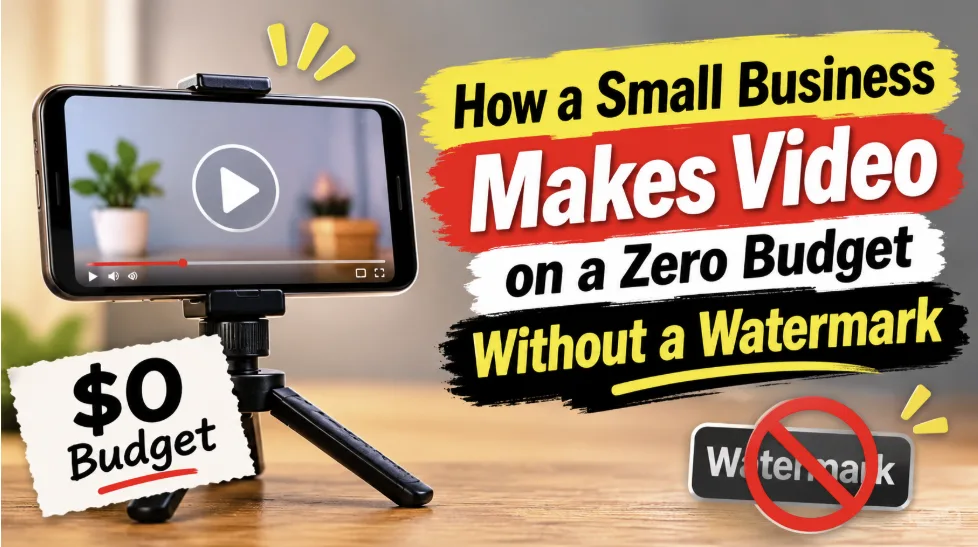
How a Small Business Makes Video on a Zero Budget Without a Watermark
Video marketing can be an expensive endeavor for a small business. The cost of hiring a camera crew and an editor quickly adds up. Fortunately, videos that showcase the products of a small business are fairly simple and can be shot and edited very cheaply or even for free with the camera and editor that are probably already in the pocket of the business owner.
The one barrier for shooting free videos is the watermark. Having a free editor that puts a logo on your video can be more costly in lost reach than paying for a tool that provides an export without a watermark. To save money, and keep the video rights, there are five quick things to check before exporting a video.
A Watermark Costs More Than It Looks
This free video editor no watermark has an excellent export feature that gives users a clean, watermark-free video. No one wants their work advertised for them. A watermark in the corner literally frames your work, and judges your business in a bad light. A clean frame says your business is professional, and a stamped frame says your business is not serious.
This is not only about looks. Instagram does not suggest Reels with watermarks from other apps, so video content made by a small business misses a large audience and reaches only their existing followers. TikTok also keeps watermarked videos from other apps from the For You page. Your own logo is permissible, but a logo of another app is what the platform pushes down.
What Free Really Covers and What It Does Not
What “free” means varies from editor to editor. For a small business, the export, the resolution, and the license need to all be yes in order to use the video. A clean export is possible with the free tools CapCut provides.
A Video Built Entirely From Free Assets Exports Clean
A short product video showcasing an example of what CapCut can do is shown in the video. CapCut has editing tools to import browser pages, make captions, resize, and export at 1080p. The video in the example looks clear on a phone. A short product video at 1080p still looks clear on the small screen your customers hold in their hands.
The Limits Hiding in the Free Tier
There are two main reasons for a watermark on a video. First, the CapCut template outro is video that has CapCut's logo on it, and it can be deleted from the timeline before export. The second reason is the use of "pro" or "upgraded" assets in the video, which means the export is stamped or locked until the user pays or removes the asset.
Resolution also has its own barriers. Free mobile export can only go up to 1080p at 30 fps. Pro membership is also required for 4K and 60 fps exports, as well as removing watermarks from template outro clips, longer export times, and ad-free use.
A Zero-Budget Video in One Afternoon
The first video does not need a production day. All the equipment and the set are already in the small business. One phone can shoot, edit, and produce a short video to sell products before closing time. The camera is the phone you already carry, and the studio is the shop you already run.
Shoot With the Phone You Already Own
Make the phone the camera and shoot in natural light. A basic microphone and ring light can be purchased for between 50 and 150 dollars. A short video shot on a phone can be way better than a long, expensive video and be way more effective in capturing the message. Good light matters more than a good camera, and a clean background matters more than a fancy set.
Edit in One Sitting
The ideal length of a video is 30 seconds to 2 minutes. In a Wyzowl survey, 71 percent of video marketers called 30 seconds to 2 minutes the most effective length, so cut the video to that range. Trim dead air and add captions. Watch the preview once before you hit export, and make sure no logo, badge, or template mark is sitting anywhere in the frame. Make sure there is nothing in the preview before you export your video. The preview is shown when you send your video for editing.
Keeping the first three seconds clear of dead air gives the viewer a quick look at the product or promises the viewer something. Put the product or the promise on screen right away, and use the rest of the video to show it is real.
Five Checks Before You Publish With a Free Editor
Run these five checks on every video before it goes out. Each one takes a minute, and together they catch the problems that cost reach and trust. A video that passes all five is ready to post anywhere.
The preview shows no logo, badge, or template mark anywhere in the frame.
The export is 1080p, and the video looks clear on a phone screen.
Every music track, template, and stock clip is cleared for commercial use.
The video runs 30 seconds to 2 minutes, and the first three seconds show the product or the promise.
The file is a clean master saved before any platform re-upload.
If all five pass, the video is ready to post. If one fails, fix that one thing and check again before the video goes live.
Make One Video Do Three Jobs
One clean master can serve three places. A short version goes to Reels and Shorts, the same video sits on the product page, and a cut-down clip goes to a WhatsApp status or a customer message. 63 percent of consumers would most like to learn about a product from a short video, and 85 percent said a video had convinced them to buy something. One afternoon of work, three places selling for you.
Keep the master file clean and re-cut from it. Never re-upload a downloaded copy that carries another platform's stamp, because the stamp travels with the file and the reach penalty travels with it. A clean master is the only file you need to keep, and every version you cut from it stays clean too.
When to Keep the Tool and When to Move On
I'll keep the free editor as long as I can create short 1080p videos and exports are clean. The tool has earned its keep. A small business rarely needs more than a clean 1080p short video to sell.
Move on when the work needs long-form videos over 15 minutes, or when the work needs 4K or Pro templates. A zero-dollar budget is a starting point, not a permanent rule. According to 62% of video marketers, the cost to create videos is the same or less than the previous year. Working around the tools' limits can cost more than a paid plan.
Conclusion
A watermark is not a small detail. For a small business, it means strangers will never see the video. A small business needs all the exposures and a watermark means the videos will only be seen by the business's followers. It will always be better to pay for the tool than to work around the tools limits. Start for free, do the five checks, and export the video once. Let one good video work. The budget stays at zero, and the video still looks like it cost something. That is the whole point of a zero-budget video.