
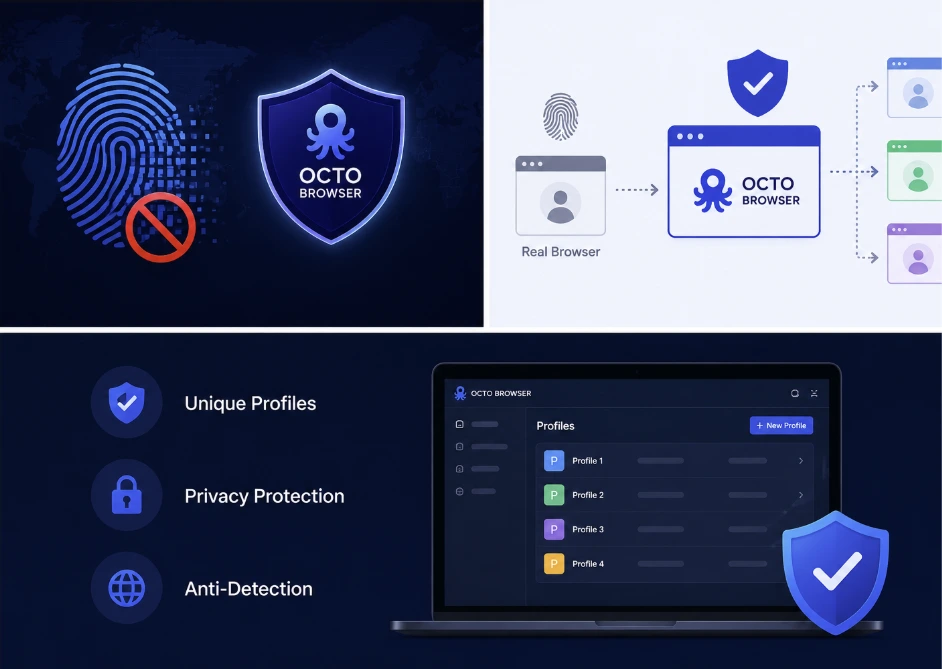
How to Prevent Browser Fingerprinting with Octo Browser
Websites track users without cookies. They collect small bits of data from each browser. These bits form a unique digital fingerprint. This fingerprint works like an ID card. Changing the IP address does not stop it. There is a need for a special tool for real protection. Octo Browser provides that protection.
Browser fingerprinting is invisible. No pop-up asks for permission. The only solution is to change the fingerprint itself. Anti-detect browsers do this job well. This article explains how digital fingerprints work and how to stop them.
What Is a Digital Fingerprint Online
A digital fingerprint is a collection of device data. The browser shares this data with every website visited. Combined, they create a unique profile.
Screen resolution and color depth
Operating system and version
Installed fonts and languages
GPU model and driver version
Time zone and language settings
How Websites Collect Device Data Silently
Data collection happens in the background. JavaScript reads system properties without asking. HTML5 elements expose hardware details. WebGL queries the graphics card directly. The user sees nothing unusual. The page loads normally. But scripts run silently. They send data to tracking servers. This happens on almost every modern website.
The Difference Between Cookies and Browser Fingerprinting
Cookies are stored on the hard drive. Users can delete them easily. Browsers have built-in cookie cleaners. Fingerprinting is different. Fingerprinting data lives on the server side. The website builds the profile without storing anything locally. Deleting cookies has no effect. Changing the IP address does nothing. Even the CPU affects audio processing. The final waveform is hashed into a unique ID.
Why VPNs Cannot Stop Fingerprinting
VPNs change the IP address only. The digital fingerprint stays the same. A website sees a new location but the same device. That combination looks suspicious. VPNs do not alter Canvas output. They do not change WebGL data. The user agent remains unchanged. The font list is the same.
The Limits of Standard Browsers for Privacy
Chrome and Firefox are not privacy tools. They are built for speed and compatibility. They share hundreds of system details by default. The browser kernel itself is the problem. It was designed to share data. Changing this requires a modified browser. Octo Browser is built on Chromium but heavily modified.
How Anti-Detect Browsers Solve the Problem
Anti-detect browsers create fake system data. They intercept fingerprinting queries at the kernel level. Each browser profile gets a completely separate identity. The spoofing covers all data points. Canvas, WebGL, audio, and user agent change together. TLS fingerprints are also modified. The result is a consistent fake device. This approach stops all known fingerprinting methods.
What Makes Octo Browser Different for Fingerprint Protection
Many anti-detect browsers exist. Octo Browser stands out for several reasons. It supports iOS natively. It offers cloud sync for teams. The fingerprint database is updated weekly. The software modifies the Chromium networking stack. This fixes TLS fingerprint issues. Other anti-detect browsers ignore the network layer. Octo Browser does not.
Creating Multiple Digital Identities With Octo Browser
A digital identity includes many parts. The IP address is one part. The browser fingerprint is another. Octo Browser combines both into a single profile. Users can create hundreds of profiles. Every profile has its own cookies, cache, and storage. No data crosses between profiles. This is true isolation. Profiles can be organized into workspaces. Teams can share profiles securely.
Web Scraping Without Detection Using Octo Browser
Web scraping requires undetectable automation. Standard tools like Puppeteer leave traces. The TLS handshake looks robotic. The fingerprint does not match any real device. Octo Browser integrates with Puppeteer and Selenium.
Automated scripts run inside realistic profiles. Each request comes from a unique fingerprint and proxy. Anti-bot systems see human traffic. The scrape succeeds where others fail. The API allows full automation at scale. Octo Browser is built for scrapers.
Configuring Octo Browser for Best Results
Proper setup is critical. Each profile needs a matching proxy. The proxy location must match the profile's timezone. Language settings should align with the region. Use residential proxies for sensitive platforms. Datacenter proxies are easier to detect. Warm up new profiles with realistic browsing. Do not log into accounts immediately.
Conclusion
Digital fingerprinting is not going away. Websites will keep collecting data. Standard browsers cannot stop it. VPNs and proxies are not enough. Anti-detect browsers are the real solution. Octo Browser leads this category. It offers complete fingerprint spoofing. It works on desktop and iOS. It supports automation and team workflows.


