Free Cover Letter and Resume Examples: Download Professional Templates for Free
When you’re applying for jobs, your resume and cover letter are your first chance to make a great impression. They tell employers who you are, what you’ve accomplished, and why you’re the best fit for the role. But writing them from scratch can be challenging — especially when you’re not sure what format or structure works best.
That’s why MyCVCreator.com offers free cover letter download and free resume download options that make it easy to build a polished, professional, and modern job application. With dozens of customizable Word templates, you can save time, maintain perfect formatting, and focus on what truly matters — showcasing your skills and experience.
Why Download Free Resume and Cover Letter Templates?
Crafting your application materials from scratch can be time-consuming. A professional template from MyCVCreator.com gives you a structure designed by experts — saving hours while ensuring your documents look perfect on every device and for every recruiter.
Here’s why using free templates can transform your job search:
1. Professional Design, Free of Charge
You don’t need to hire a designer or buy expensive software. With free resume download and free cover letter download options, you get stylish layouts that recruiters love.
2. ATS-Friendly Layouts
Each template is optimized for Applicant Tracking Systems (ATS) — the automated tools employers use to scan resumes. Simple formatting, proper headings, and keyword-rich sections ensure your document isn’t filtered out.
3. Easy to Customize
All templates are editable in Microsoft Word. You can change fonts, colors, margins, and sections to match your personal brand — no design skills required.
4. Save Time & Avoid Mistakes
Templates eliminate formatting headaches, so you can focus on tailoring your content to each role. That’s how you make an impression that gets you hired faster.
What You’ll Find on MyCVCreator’s Template Library
On the free template download page, you’ll find a variety of Word files designed for every type of job seeker. Each one can be edited instantly — no signup required.
🧾 Free Resume Templates
-
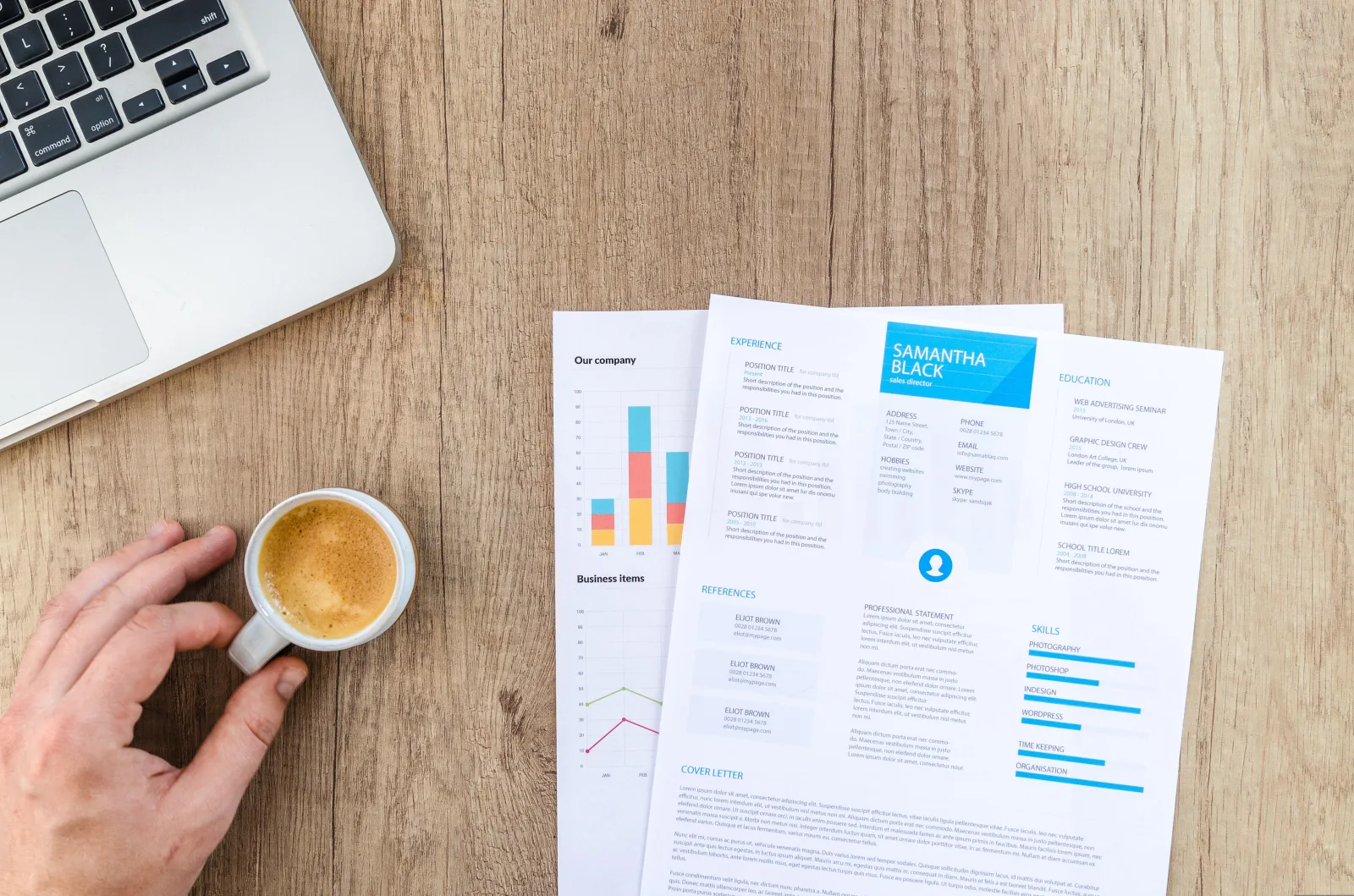
Classic Resume Template – Ideal for corporate or academic roles, emphasizing experience and education.
-
Modern Resume Template – Clean, minimal, and visually appealing — perfect for tech or creative industries.
-
Executive Resume Template – Professional format for senior managers and executives.
-
Two-Column Resume Template – Balances experience and key skills neatly.
-
Entry-Level Resume Template – Focused on education, internships, and achievements.
👉 Explore and download free resumes now.
✉️ Free Cover Letter Templates
A resume without a cover letter is like a suit without a tie. Each MyCVCreator resume design includes a matching letter to help you stand out.
-
General Cover Letter Template – Works for any role.
-
Career Change Cover Letter – Tailored for those switching industries.
-
Creative Cover Letter – Engaging, modern, and bold for media or marketing roles.
-
Formal Cover Letter – Ideal for corporate or government positions.
-
Entry-Level Cover Letter – Perfect for graduates and trainees.
📥 Access free cover letter download options now to get started.
How to Download and Use Free Resume and Cover Letter Templates
Follow this quick guide to download and customize your templates:
Step 1: Visit the Template Page
Go to https://www.mycvcreator.com/word-template.
Step 2: Choose a Template
Browse through the gallery and select a design that fits your profession — whether you need a corporate resume or a creative one.
Step 3: Download Your File
Click the “Download” button under your chosen template to save the DOCX or PPTX file.
Step 4: Open and Edit in Word
Replace placeholder text with your:
-
Name and contact details
-
Professional summary
-
Work experience
-
Skills and education
Step 5: Customize the Design
Change the color scheme or font to match your brand. Keep it clean and consistent.
Step 6: Save as PDF
Export to PDF before sending to recruiters to preserve formatting.
How to Write a Winning Resume Using Free Examples
A great resume isn’t just about looks — it’s about clarity, confidence, and measurable results. Here’s how to fill your free template for maximum impact.
1. Contact Information
Include your full name, phone, email, and LinkedIn profile.
Example:
CHUKWUEMEKA OKORO
Email: chukwuemeka.okoro@gmail.com | +234 801 234 5678
LinkedIn: linkedin.com/in/chukwuemekaokoro | Lagos, Nigeria
2. Professional Summary
Grab attention in 3–4 lines.
Dedicated Software Engineer with 5+ years of experience building scalable web applications. Skilled in PHP, JavaScript, and MySQL, with a passion for optimizing user experiences and system performance.
3. Key Skills
Use bullet points for easy scanning:
-
Project Management
-
React.js / PHP / Laravel
-
UX Design and Testing
-
Leadership & Collaboration
4. Work Experience
List achievements, not just duties.
Frontend Developer – TechNova Ltd (2021–Present)
Built responsive UIs used by 40,000+ monthly users.
Increased page load speed by 30%.
Collaborated with backend team to integrate REST APIs.
5. Education
Keep it brief and relevant.
B.Sc. in Computer Science, University of Lagos (2018)
6. Certifications or Awards (Optional)
Add relevant ones like Google Analytics, PMP, or HubSpot.
💡 Pro Tip: Download multiple versions from the free resume download library to see which layout fits your industry best.
How to Write an Impressive Cover Letter Using Free Templates
Your cover letter humanizes your resume — it tells your story. Using the free cover letter templates as a base, follow this structure:
1. Header
Use the same design and contact info as your resume.
2. Greeting
Address it to the hiring manager (e.g., Dear Mrs. Johnson).
3. Opening Paragraph
Introduce yourself and the position you’re applying for.
I’m excited to apply for the role of Marketing Executive at BrightVision Ltd. With over five years of experience developing digital campaigns that increased brand engagement by 50%, I’m eager to bring my expertise to your dynamic team.
4. Middle Paragraph
Show your value with real results.
In my previous role at TechWave, I managed cross-platform ad campaigns that reached 1.2 million people. I’m passionate about data-driven marketing and thrive on turning insights into strategy.
5. Closing Paragraph
Reinforce enthusiasm and request an interview.
I would love to discuss how my skills can contribute to your goals. Thank you for considering my application — I look forward to hearing from you.
6. Signature
End with your full name and contact info.
Best Practices for Both Resume and Cover Letter
-
Tailor each application – Don’t send the same document everywhere.
-
Use power verbs – “Led”, “Achieved”, “Improved”, “Developed.”
-
Quantify your success – Employers love numbers.
-
Match tone to company culture – Formal or creative.
-
Use consistent formatting – Align margins, fonts, and bullet styles.
-
Proofread carefully – Typos instantly ruin credibility.
-
Save in PDF – Guarantees compatibility across devices.
Why MyCVCreator Is the Best Platform for Free Templates
Beyond templates, MyCVCreator.com offers a complete suite of career tools designed to make job applications easier and more successful:
-
✅ Free Resume Builder — Create resumes online with AI assistance.
-
✅ Free Cover Letter Generator — Automatically writes tailored letters.
-
✅ Resume to Website Converter — Turn your CV into a personal site instantly.
-
✅ Job Search Tool — Browse open positions directly.
-
✅ Interview Preparation Feature — Practice questions via video simulation.
It’s not just a download hub — it’s your all-in-one career platform.
Additional Free Resources
Here are related free downloads and guides available on MyCVCreator:
-
Free Cover Letter Download – Professionally written letters ready to edit.
-
Free Resume Download – High-quality resume examples in Word format.
-
Free CV Templates – Simple and elegant CVs for all industries.
-
Download Resume Template Word – Word files that work with Microsoft Office or Google Docs.
-
AI Resume Generator – Automatically builds a professional resume in minutes.
Real-Life Example: Transforming a Basic CV into a Professional One
Meet Ada, a recent graduate struggling to land interviews. She downloaded a free resume template and matching cover letter from MyCVCreator.com.
Here’s what changed:
-
Her resume went from plain text to a clean, structured layout.
-
She highlighted her achievements and certifications using the template’s preformatted sections.
-
Her cover letter followed a professional tone, showing enthusiasm and clarity.
Within three weeks, Ada secured two interview invitations — all because she presented herself professionally using a free template that matched modern HR expectations.
Quick Checklist Before You Submit
Before sending your resume or cover letter:
-
✅ Use a professional email address.
-
✅ Include relevant keywords from the job posting.
-
✅ Keep formatting consistent across both documents.
-
✅ Double-check spelling and grammar.
-
✅ Save as “Firstname_Lastname_Resume.pdf” or “Firstname_Lastname_CoverLetter.pdf.”
-
✅ Revisit MyCVCreator.com for updates — new designs are added regularly.
Final Thoughts
A job application is more than a document — it’s your professional story. By using free cover letter download and free resume download options from MyCVCreator.com, you save time, eliminate guesswork, and present yourself as the polished, capable professional you truly are.
Whether you’re seeking your first job, changing careers, or climbing the corporate ladder, the right resume and cover letter can open doors. Start now — your next opportunity could be one download away.