Basic
Basic, ATS-friendly resume template for online applications clean layout, easy parsing, and sections
View Template
Explore MyCVCreator’s full collection of professional resume templates designed for every job, industry, and experience level. Whether you’re a student, a recent graduate, a career changer, or an experienced professional, you’ll find modern, ATS-friendly designs that help you highlight your skills, work history, and achievements with confidence.
Create Your Resume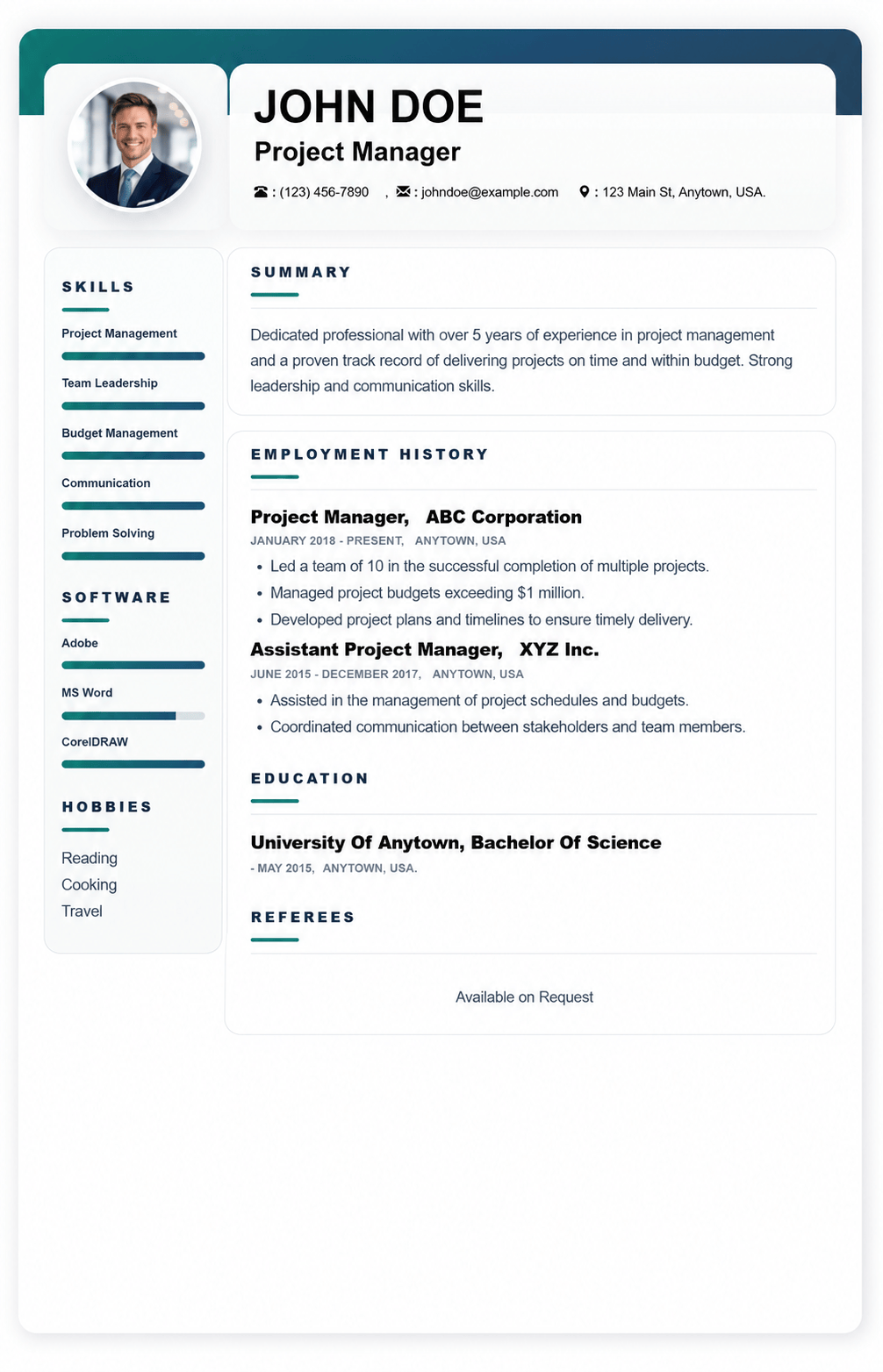
Template used: 44,733
This ATS-friendly resume template is built for online applications where clarity matters most. Its clean structure, balanced spacing, and straightforward headings make it easy for recruiters to scan in seconds while also helping ATS/CV parsing systems accurately detect your details, job titles, dates, and keywords.
It works especially well for:
A quick snapshot of who you are: name, professional title, location, phone, email, and optional portfolio link. This area can also include a short tagline like Customer Service Specialist | CRM | Conflict Resolution.
A 2 to 4 line pitch that highlights your role, strengths, and biggest outcomes. Perfect for making a strong first impression before the recruiter scrolls.
Your work history in reverse order, with bullet points focused on achievements and results. This section is designed to support:
Your degree, school, and graduation year in a simple, scannable format. It also supports extras like honors, relevant coursework, or projects when needed.
A dedicated area for job-relevant skills. This template supports both:
Optional, but useful when relevant to the job or when showing personality professionally, such as volunteering, industry communities, athletics, or speaking.
A focused list of tools you can use confidently, such as Microsoft Office, Google Workspace, Figma, Salesforce, Canva, or WordPress. Great for tech, admin, marketing, and operations roles.
Professional credentials with issuer and year, for example PMP – PMI (2024). This helps ATS and recruiters quickly confirm qualifications.
Recognitions and performance awards that build credibility, such as Employee of the Month, Top Sales Performer, or Academic Excellence Award.
Language proficiency clearly listed, for example English (Fluent), French (Intermediate). Especially valuable for customer-facing and global roles.
Ideal for academic, research, health, and technical profiles. Add title, platform or journal, and year.
A highlights section for major wins that do not fit neatly under one job. Useful for freelancers, founders, and multi-role professionals.
Professional memberships or associations such as IEEE, SHRM, or local industry groups. Adds authority and shows industry involvement.
A flexible section for extras such as:
A custom area you can rename based on your field, such as:
A clean reference area. Many candidates now use Available upon request unless an application specifically asks for full references.
Optional and best used based on country and industry norms. The template supports:
Keep links short and professional.

Basic, ATS-friendly resume template for online applications clean layout, easy parsing, and sections
View Template
Bela is a modern, ATS-friendly CV template with a bold black-and-white header clean, professional se
View Template
Mula is an elegant, ATS-friendly CV template with a sleek two-column layout and subtle color accents
View Template
Kaly is a modern, ATS-friendly two-column CV template with customizable colour accents ideal for sho
View TemplateQuick answers about choosing, customizing, and using resume templates on MyCVCreator.
A resume template is a ready-made design layout that helps you present your skills, experience, and education in a clean, professional format—without needing design skills.
Browse resume templatesYes. The templates are built with clear sections and easy-to-scan structure to work well for both recruiters and ATS (Applicant Tracking Systems).
Pick a template that matches your industry and seniority:
• Clean/simple: best for corporate roles and ATS clarity.
• Modern/creative: good for design, media, and digital roles (keep it readable).
• Executive layouts: best for senior and leadership applications.
You’ll find multiple styles such as Graphic, Corporate, Social, Plain, and more—plus premium executive options. Each template includes a “View Template” button so you can select and start quickly.
Yes. Some templates are premium (often executive-style designs). If a template is premium, you’ll see it presented as a premium option in the template list.
Yes. You can tailor sections like Summary, Skills, Experience, and Education to match the job. The best results come from editing your content to include job-specific keywords and measurable achievements.
Yes. MyCVCreator allows you to create a cover letter using the same template style as your resume so your application looks consistent.
View cover letter templatesTo save your progress and download your finished resume from the builder, you’ll typically need an account.
Create an accountChoose a template, fill in your details in the resume builder, then download your resume when you’re done.
Go to the resume builderYes. It’s smart to update your resume anytime you gain a new skill, complete a project, or change jobs. Keeping it updated helps you apply faster when opportunities come up.