Basic
Basic, ATS-friendly resume template for online applications clean layout, easy parsing, and sections
View Template
Explore MyCVCreator’s full collection of professional CV templates designed for every job, industry, and experience level. Whether you’re a student, a recent graduate, a career changer, or an experienced professional, you’ll find modern, ATS-friendly designs that help you highlight your skills, work history, and achievements with confidence.
Create Your CV Now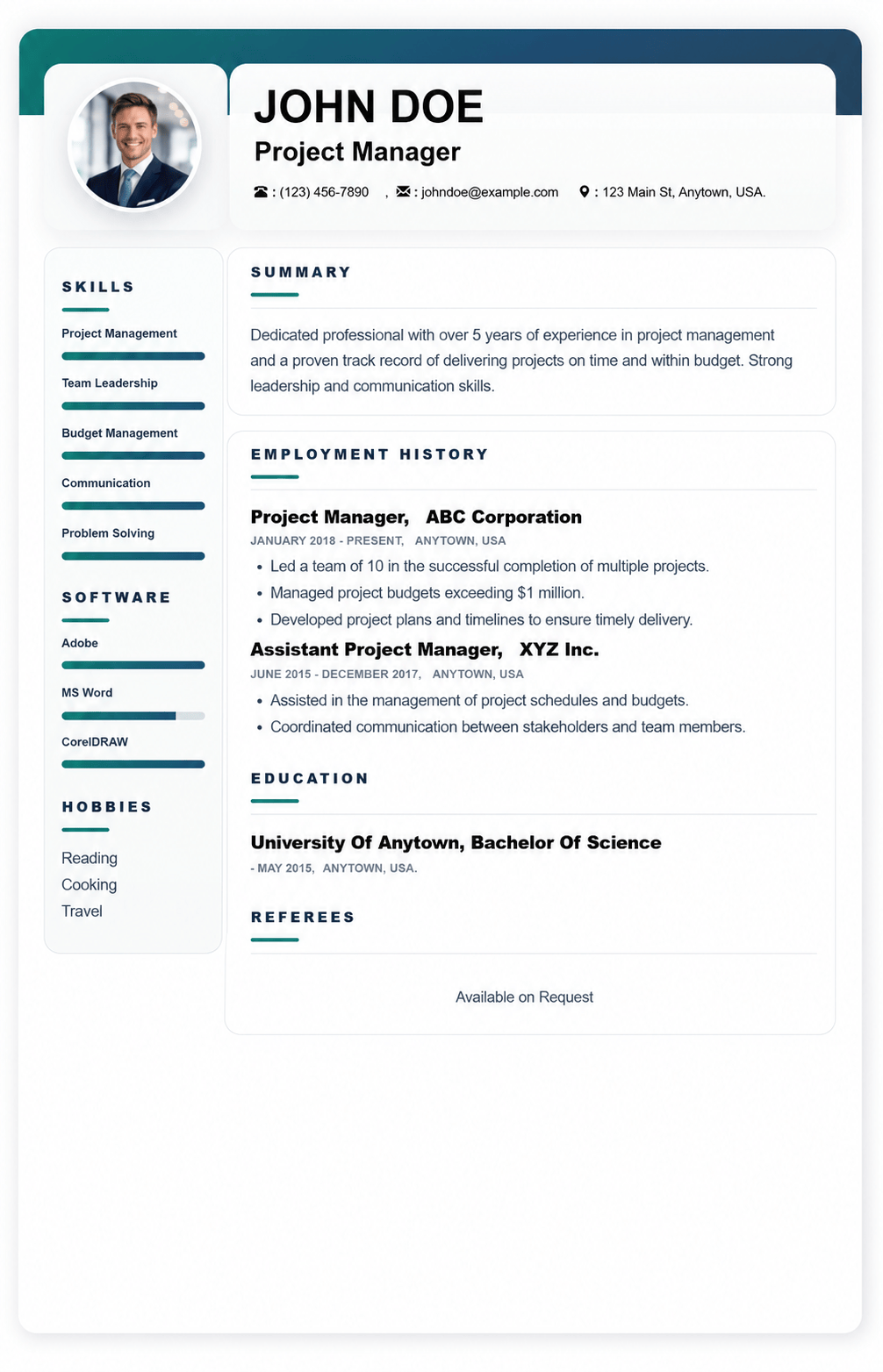
Template used: 44,654
This ATS-friendly resume template is built for online applications where clarity matters most. Its clean structure, balanced spacing, and straightforward headings make it easy for recruiters to scan in seconds while also helping ATS/CV parsing systems accurately detect your details, job titles, dates, and keywords.
It works especially well for:
A quick snapshot of who you are: name, professional title, location, phone, email, and optional portfolio link. This area can also include a short tagline like Customer Service Specialist | CRM | Conflict Resolution.
A 2 to 4 line pitch that highlights your role, strengths, and biggest outcomes. Perfect for making a strong first impression before the recruiter scrolls.
Your work history in reverse order, with bullet points focused on achievements and results. This section is designed to support:
Your degree, school, and graduation year in a simple, scannable format. It also supports extras like honors, relevant coursework, or projects when needed.
A dedicated area for job-relevant skills. This template supports both:
Optional, but useful when relevant to the job or when showing personality professionally, such as volunteering, industry communities, athletics, or speaking.
A focused list of tools you can use confidently, such as Microsoft Office, Google Workspace, Figma, Salesforce, Canva, or WordPress. Great for tech, admin, marketing, and operations roles.
Professional credentials with issuer and year, for example PMP – PMI (2024). This helps ATS and recruiters quickly confirm qualifications.
Recognitions and performance awards that build credibility, such as Employee of the Month, Top Sales Performer, or Academic Excellence Award.
Language proficiency clearly listed, for example English (Fluent), French (Intermediate). Especially valuable for customer-facing and global roles.
Ideal for academic, research, health, and technical profiles. Add title, platform or journal, and year.
A highlights section for major wins that do not fit neatly under one job. Useful for freelancers, founders, and multi-role professionals.
Professional memberships or associations such as IEEE, SHRM, or local industry groups. Adds authority and shows industry involvement.
A flexible section for extras such as:
A custom area you can rename based on your field, such as:
A clean reference area. Many candidates now use Available upon request unless an application specifically asks for full references.
Optional and best used based on country and industry norms. The template supports:
Keep links short and professional.

Basic, ATS-friendly resume template for online applications clean layout, easy parsing, and sections
View Template
Bela is a modern, ATS-friendly CV template with a bold black-and-white header clean, professional se
View Template
Mula is an elegant, ATS-friendly CV template with a sleek two-column layout and subtle color accents
View Template
Kaly is a modern, ATS-friendly two-column CV template with customizable colour accents ideal for sho
View TemplateQuick answers about choosing, customizing, and downloading CV templates on MyCVCreator.
A CV template is a professionally designed layout (like Graphic, Corporate, Plain, or Timeless) that helps you present your skills, work history, and achievements in a clean, recruiter-friendly format.
Browse CV templatesYes. The CV templates are designed to be modern and ATS-friendly, with clear structure so recruiters (and Applicant Tracking Systems) can scan your information quickly.
To create, save, and download your CV in the builder, you’ll typically need an account. You can start by registering and then choose a template to begin.
Create your accountUse this quick guide:
• Plain: Great for corporate/remote roles and ATS clarity.
• Corporate / Graphic: Clean, modern layouts for most roles.
• Timeless / executive-style templates: Strong for senior/leadership profiles.
When in doubt, pick a clean template, then tailor your content to the job.
MyCVCreator offers a mix. Some templates are positioned as premium (for example, executive-style options like “Mark” and “Lana”), while others are available to get started right away.
Yes—templates are meant to be customized. You can adjust sections (like skills, experience, education) and tailor the content to your target role. Some templates also highlight customizable style elements (like banners/accent colors).
Yes. MyCVCreator supports building a cover letter using the same template style as your CV, so your application looks consistent and professional.
Go to the CV builderAfter you choose a template and complete your details in the builder, you can download your CV and start applying. If you prefer editable Word files, you can also check the Word Template section on MyCVCreator.
Word templatesYes. It’s best practice to keep your CV updated—when you gain a new skill, finish a project, or get a new role, you can revisit and refresh the content so you’re always ready to apply.
Yes. MyCVCreator is designed to work on different devices, so you can start a CV on your phone and continue on a tablet or laptop when convenient.