Virtual Interview Preparation: Recruiter-Approved Tips to Stand Out on Video Calls
Virtual interviews look simple on the surface. You click a link, smile at the camera, and answer questions. But recruiters often decide whether you feel “hireable” within the first few minutes, and on video those minutes are shaped as much by your setup and presence as by your experience. A great virtual interview is less about being flashy and more about removing friction so your skills come through clearly.
If you have ever left a video interview thinking, “I said the right things, so why did it feel off?”, you are not alone. Common pain points are surprisingly practical: audio that cuts out, lighting that makes you look tired, a camera angle that feels awkward, or notes that turn you into someone reading instead of someone connecting. Even strong candidates can unintentionally signal disorganization or low confidence when the tech and environment are working against them.
This matters even more because virtual and hybrid hiring is now routine across industries. Recruiters are comparing candidates across different time zones, devices, and internet conditions, and they have developed a sharp eye for professionalism on screen. The good news is that “professional” is not expensive. With a few deliberate choices, like a stable connection, a clean background, and a tight story about your impact, you can stand out quickly and for the right reasons.
In this guide, you will learn recruiter-approved ways to prepare for a virtual interview, from the technical checklist you should run the day before to the on-camera habits that make you look engaged and credible. We will cover how to choose the right space, set up lighting and audio, manage notes without sounding scripted, and handle common curveballs like delays, interruptions, and panel interviews. You will also get practical examples of what to say and do, plus a few easy upgrades you can make to your CV and talking points. For instance, using a tool like MyCVCreator to quickly tailor your CV to the role can help you align your interview answers with the same keywords and achievements the recruiter is screening for, so your story stays consistent from application to conversation.
Virtual Interview Prep Checklist: 10 Minutes to Ready
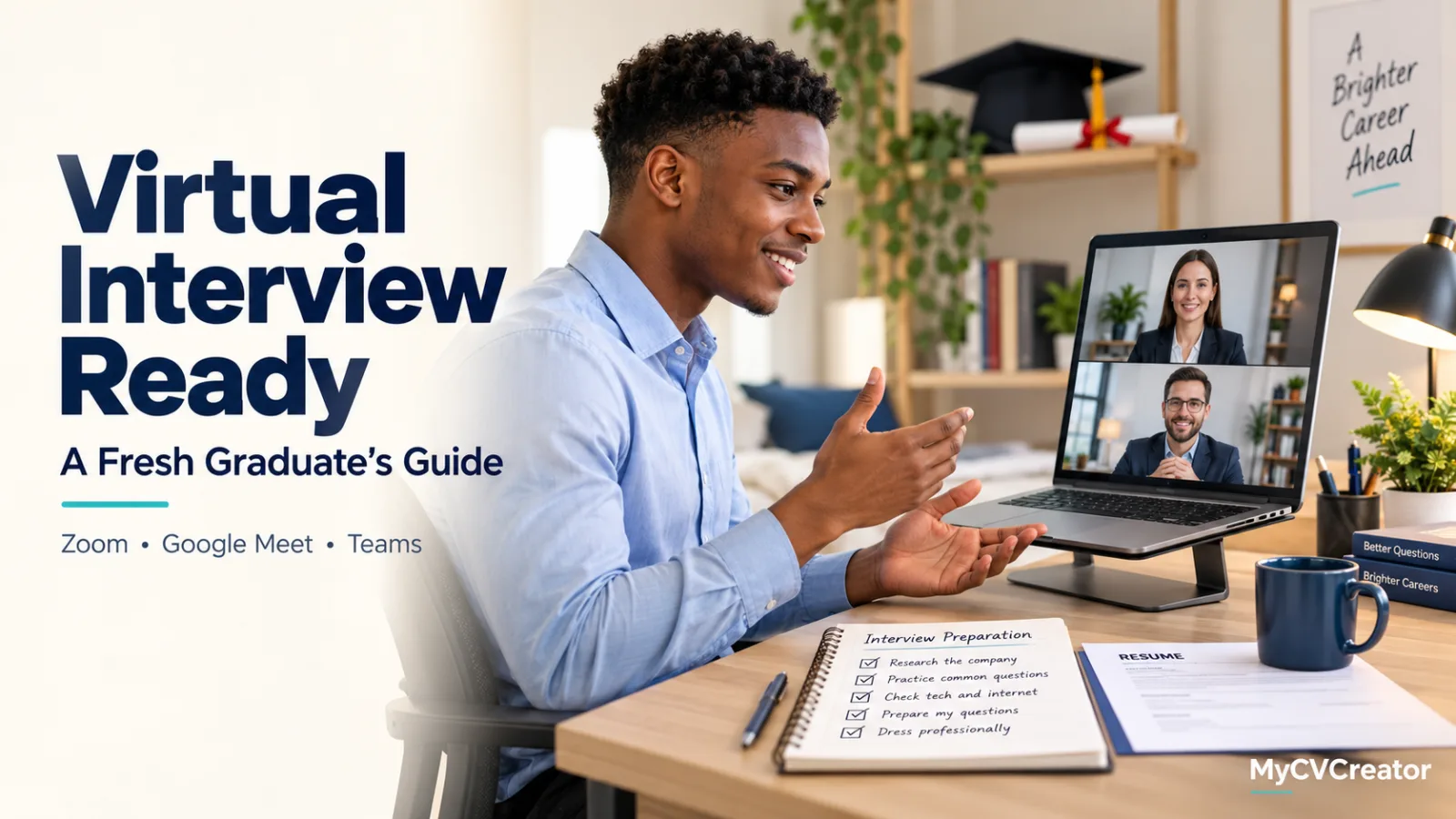
If your virtual interview starts in 10 minutes, focus on what recruiters notice first: whether you look and sound clear, whether you’re prepared, and whether the call runs smoothly. You don’t need a perfect home office. You need a stable connection, a clean frame, good lighting, and a few ready-to-use notes that help you answer crisply without reading a script.
Use this quick checklist to get interview-ready fast. It’s designed to reduce common “video call” mistakes recruiters see every day, like bad audio, distracting backgrounds, and candidates fumbling for examples because their notes are scattered.
- Minute 1: Confirm the basics. Open the invite link, check the time zone, and have the interviewer’s name and company visible on a sticky note or notepad.
- Minute 2: Fix your camera angle. Raise your laptop so the camera is at eye level. Center your face with a little space above your head, and look into the lens when answering.
- Minute 3: Light your face. Face a window or lamp. Avoid strong backlight from a bright window behind you, which makes you look like a silhouette.
- Minute 4: Clean the frame. Remove clutter, close distracting tabs, and silence notifications on your phone and computer.
- Minute 5: Test audio. Do a 10-second mic test. If you have wired earbuds or a headset, use them to reduce echo and background noise.
- Minute 6: Stabilize your connection. If possible, move closer to your router or switch to wired internet. Close streaming apps and large downloads.
- Minute 7: Put your documents in one place. Open your resume, the job description, and your notes. If you’re using a builder like MyCVCreator, keep the final PDF and an editable version ready for quick reference.
- Minute 8: Prepare 3 proof points. Write three quick STAR-style examples (Situation, Task, Action, Result) that match the role’s top requirements.
- Minute 9: Draft your closing. Prepare a 20-second “why this role” statement and 2 questions to ask (team priorities, success metrics, next steps).
- Minute 10: Do a quick presence check. Sit up, shoulders relaxed, water nearby, and a calm pace. Join 2 to 3 minutes early.
Key takeaways: Recruiters aren’t expecting a studio setup. They are looking for clarity, professionalism, and readiness. Prioritize audio over video quality, keep your notes short so you don’t sound like you’re reading, and make your first minute smooth by joining early with a stable setup. A clean frame, confident eye contact, and a few targeted examples will do more for your impression than any fancy background.
Video Interview Basics Recruiters Notice First
Recruiters usually decide whether a virtual interview feels “easy” or “hard” within the first minute. That doesn’t mean they’ve judged your skills already, but they have noticed whether you look prepared, sound clear, and can hold a professional conversation without tech distractions. When those basics are solid, they can focus on your experience and answers instead of your setup.
The first thing most interviewers notice is audio quality. A slightly imperfect camera is forgivable, but choppy sound, echo, or low volume forces them to work harder. Use wired earphones or a simple headset if you have one, and do a quick test call to check for background noise. If you’re in a room with hard surfaces, adding a soft furnishing nearby (a curtain, rug, or even a folded blanket off-camera) can reduce echo.
Lighting and framing come next. Aim for light in front of you, not behind you. Sitting with a bright window behind your head turns you into a silhouette, which reads as unpolished even if your answers are excellent. Place your camera at eye level, frame yourself from mid-chest up, and leave a little space above your head. This angle looks natural and helps you maintain “eye contact” by looking near the lens when you speak.
Recruiters also notice your background and on-screen professionalism. A clean, uncluttered space signals attention to detail. If your environment is busy, a subtle blur can help, but avoid overly stylized virtual backgrounds that glitch around your hair or hands. Keep your desktop tidy too. Pop-ups, message notifications, and calendar reminders are common interview killers, so enable Do Not Disturb and close unrelated tabs before you join.
Your presence and pacing matter more on video than many candidates expect. Speak a touch slower than you would in person, pause briefly after questions (to avoid talking over the interviewer), and nod or acknowledge to show you’re engaged. Keep your hands mostly within frame if you gesture, and avoid swiveling chairs or constant posture shifts that create a restless impression.
Finally, recruiters notice whether you can handle the basics of the process: joining on time, using the right name, and having key details at hand. Keep the job description, your tailored CV, and a short list of achievements open in a single document for quick reference. If you’re updating those materials beforehand, a builder like MyCVCreator can help you quickly tailor your CV so your examples match the role, making your answers sound sharper and more consistent.
- Quick pre-call checklist: test mic, check lighting, set camera height, silence notifications, close extra apps, place water nearby, and join 3 to 5 minutes early.
Why Virtual Interviews Fail: Signals Hiring Teams Read on Camera
Virtual interviews fail more often for “small” reasons than big ones. Most candidates prepare for questions, but underestimate what the camera reveals in the first 30 seconds: whether you’re ready, whether you can communicate clearly in a remote setting, and whether working with you will feel smooth or stressful. Hiring teams are not trying to nitpick. They are trying to reduce risk, and video calls give them a fast, information-rich snapshot.
The reality is that remote and hybrid hiring is no longer a novelty. Many roles involve daily video meetings, async collaboration, and quick decision-making without hallway conversations. That means recruiters and hiring managers use the interview itself as a simulation of the job. If your audio cuts out, your lighting hides your expressions, or you constantly glance away to read notes, they may interpret it as how you’ll show up in client calls, team standups, or stakeholder updates.
On camera, hiring teams read signals that are easy to miss on your side of the screen. They notice whether you can maintain steady eye contact with the lens, whether your answers are structured, and whether you listen without interrupting. They also pick up on practical professionalism: a quiet space, a stable connection, and a background that doesn’t distract. Even your pace matters. Speaking too quickly can signal nerves or lack of clarity, while long pauses can look like you’re searching for a scripted response.
This matters because virtual interviews compress the evaluation window. When time is tight, interviewers lean on observable cues to decide who moves forward. Strong video presence does not mean being “perfect on camera.” It means removing friction so your experience and personality come through. If you’ve tailored your CV and talking points in a tool like MyCVCreator, the next step is making sure your delivery matches the same level of polish, so the conversation stays focused on your value rather than avoidable technical or presentation issues.
- Clarity and confidence: concise answers, a steady tone, and a clear point of view are easier to trust.
- Remote readiness: smooth tech setup signals you can handle modern, distributed work.
- Engagement: active listening, thoughtful follow-ups, and natural eye contact show collaboration skills.
- Professional judgment: appropriate setting, attire, and boundaries suggest you understand workplace expectations.

Create your Resume Now
Step-by-Step Setup: Tech, Lighting, Audio, and Background
Recruiters rarely expect a studio-quality setup, but they do expect you to be easy to see, easy to hear, and free of avoidable distractions. A solid virtual interview setup is less about expensive gear and more about controlling a few variables: connection stability, camera angle, lighting direction, microphone clarity, and what’s happening behind you.
Use this step-by-step checklist the day before and again 30 to 45 minutes before your call. It’s designed to prevent the common issues recruiters mention most: “I couldn’t hear them,” “they were backlit,” “their camera was pointed up their nose,” and “their background was chaotic.”
1) Lock in your device and internet connection
Start by choosing the device you’ll interview on and commit to it. Switching between phone, tablet, and laptop at the last minute is a top cause of login issues, missing permissions, and audio glitches.
- Prefer a laptop or desktop for stability and a more professional frame. If you must use a phone, use a tripod or stable stand and rotate to landscape if the platform supports it.
- Test your internet speed and consistency in the exact spot you’ll sit. If your connection is unreliable, move closer to the router or use an Ethernet cable if possible.
- Reduce competition for bandwidth: pause large downloads, ask housemates not to stream during your interview, and close cloud-sync apps temporarily if they cause lag.
- Have a backup plan: keep your phone charged with hotspot enabled, and save the interviewer’s number or email so you can quickly message if you drop.
A practical rule: if your video freezes during a test call, prioritize audio. Many platforms let you turn off your camera to stabilize sound, which is usually better than choppy video and broken sentences.
2) Set your camera angle and framing like a recruiter-friendly headshot
Your goal is a steady, flattering, “in-the-room” perspective. Poor camera placement can make you look disengaged even when you’re answering well.
- Raise the camera to eye level. Stack books under your laptop or use a stand so you’re not looking down or up.
- Frame from mid-chest to just above your head. Leave a small amount of space above your hair, not a huge gap.
- Center yourself and face the light (more on lighting below). Angle your body slightly if it feels natural, but keep your face toward the camera.
- Turn on “HD” or “enhance” settings if your platform offers them, but avoid heavy beauty filters. Anything that blurs your face can look odd and distract from your expressions.
Quick self-check: if you can see more ceiling than face, or if the camera is pointed up from desk level, adjust. Recruiters notice immediately, and it’s an easy fix.
3) Fix lighting in 5 minutes (no ring light required)
Lighting is the difference between “polished” and “hard to read.” The most common mistake is sitting with a bright window behind you, which turns you into a silhouette.
- Put your main light source in front of you, not behind. A window in front of your face is ideal.
- If the window is to the side, rotate your setup so the light hits both sides of your face more evenly.
- Add a second light if needed: a desk lamp placed slightly above eye level and off to the side can soften shadows. Aim it toward the wall for a gentler bounce if it’s too harsh.
- Check your look on camera at the same time of day as the interview. Morning sun and late-afternoon light can change dramatically.
Wear colors that separate you from the background. If your wall is white, avoid a white top. If your background is dark, avoid a black outfit that makes you blend in.
4) Make your audio crisp and interruption-proof
Recruiters can forgive a slightly grainy camera. They struggle when audio is muffled, echoing, or cutting out. Clear sound makes you seem more confident because your answers land cleanly.
- Use headphones with a microphone if possible. Wired earbuds often beat built-in laptop mics because they reduce echo.
- Choose a quiet room and soften echo: close doors, add a rug, and avoid sitting in an empty space with hard walls.
- Disable noisy “helpers”: turn off fans, loud AC, and phone notifications. Put your phone on Do Not Disturb even if you’re interviewing on your laptop.
- Test your mic levels in the platform settings. Speak at interview volume, not whisper volume, and confirm the meter stays steady.
If audio cuts out during the interview, say it plainly and take control: “I’m noticing some audio lag. I’m going to turn off my video for a moment to stabilize the connection.” That reads as calm problem-solving, not panic.
5) Clean up your background and on-screen distractions
Your background should support your professionalism, not compete with it. You don’t need a perfect home office, but you do need intentional choices.
- Pick a simple, tidy backdrop: a plain wall, neat bookshelf, or uncluttered corner. Remove laundry piles, bright posters, and anything overly personal.
- Check what the camera actually sees. Do a quick test recording and look for distractions at the edges of the frame.
- Use a virtual background only if it’s stable. If your hair or shoulders blur into it, skip it. A slightly messy real background is often better than a glitchy fake one.
- Close and silence your desktop: exit email pop-ups, Slack/Teams notifications, calendar reminders, and auto-updates. Clear your browser tabs so screen sharing doesn’t expose anything awkward.
Keep a small “interview station” on your desk: water, a pen, and a one-page notes sheet with role highlights and 2 to 3 questions. If you’re also tailoring your application materials beforehand, build a clean, role-specific resume and talking points in MyCVCreator so your notes match the same keywords and achievements you’ll reference on the call.
6) Do a full rehearsal exactly like the real call
Finally, run a two-minute rehearsal that simulates the real interview. Join the meeting link if you have it, or open the platform and start a test call.
- Confirm camera, mic, and speaker selection (especially if you use Bluetooth devices that sometimes connect to the wrong input).
- Practice looking at the camera while speaking, then glance down briefly at notes without disappearing from the frame.
- Time your setup: aim to be fully ready 10 minutes early so you’re not adjusting lighting while the recruiter joins.
This last step is what turns a “good
Winning Answers on Video: STAR Examples and Strong Openers
On video calls, your answers need to land quickly. Recruiters are listening for three things at once: clarity (can you explain your work without rambling), relevance (did you pick an example that matches the role), and presence (do you sound confident and prepared). A simple way to deliver all three is to start with a strong opener, then use the STAR method to keep your story tight.
A reliable structure for virtual interviews is: one-sentence headline (your opener), then STAR (Situation, Task, Action, Result), and finally a role tie-back (why it matters for this job). That last line is especially useful on video because it signals you are not just telling a story, you are making a case.
Strong openers you can reuse (and why they work)
- “Yes, I can speak to that. Here’s a quick example from my last role…” (calm, confident, buys you a second to organize your thoughts)
- “The headline is: I improved X by doing Y. Let me walk you through it.” (sets a clear outcome upfront)
- “I’ve handled something similar. The context was…, and the result was…” (signals relevance and results)
- “I’ll answer that in four parts: the situation, what I owned, what I did, and the outcome.” (tells the interviewer you will be concise)
Tip for video: after your opener, pause for half a beat. It prevents you from talking over the interviewer if there is lag, and it makes you sound measured rather than rushed.
STAR example 1: “Tell me about a time you handled a difficult stakeholder”
Opener: “Yes. The headline is: I turned a frustrated stakeholder into a weekly ally by resetting expectations and creating a simple reporting cadence.”
Situation: “In my previous role as a project coordinator, a sales manager was upset because a client onboarding timeline kept slipping, and they felt they were not being kept in the loop.”
Task: “I needed to rebuild trust, get clear requirements, and stabilize the timeline without overpromising.”
Action: “I scheduled a 15-minute call to clarify what ‘success’ looked like for them, then documented the top three priorities and the non-negotiables. I created a shared one-page status update with milestones, owners, and risks, and I sent it every Tuesday. When a dependency threatened the timeline, I flagged it early with two options and a recommendation, instead of waiting until it became urgent.”
Result: “Within two weeks, the stakeholder stopped escalating issues, our approvals came faster, and we delivered onboarding only three days behind the original plan rather than the two-week slip we were heading toward. The manager later asked to use the same update format for other accounts.”
Tie-back: “That approach is how I’d work with cross-functional partners here too: clear priorities, predictable updates, and proactive risk communication.”
STAR example 2: “Describe a time you made a process more efficient”
Opener: “A good example is when I reduced weekly reporting time by about 60% by standardizing the data pull and template.”
Situation: “Our team prepared a weekly performance report using data from two dashboards and manual copy-paste into slides.”
Task: “I was responsible for producing the report, and leadership wanted it earlier on Mondays.”
Action: “I mapped the report to the five metrics leadership actually discussed, then removed the ‘nice-to-have’ charts. I created a single spreadsheet that pulled the numbers into one place and a slide template with locked formatting. I also wrote a short checklist so anyone could run the process if I was out.”
Result: “The report went from roughly 2.5 hours to about 1 hour, and we consistently delivered it by 10 a.m. Monday. It also reduced errors because the metrics were defined once and reused.”
Tie-back: “I like improving processes in ways that are measurable and easy for others to maintain, which is especially helpful in fast-moving teams.”
STAR example 3: “Tell me about a mistake and what you learned”
Opener: “Sure. I’ll share a mistake I made early on, and the system I put in place so it didn’t happen again.”
Situation: “I sent a client an updated timeline that hadn’t been confirmed by engineering.”
Task: “I needed to correct the message quickly, protect the relationship, and prevent repeat misalignment.”
Action: “I called the client the same day, clarified that the timeline was a draft, apologized for the confusion, and reset expectations with a confirmed date. Internally, I introduced a simple ‘source of truth’ rule: timelines only go out after a quick sign-off in our project channel, and I added a ‘confirmed by’ line to the timeline document.”
Result: “The client appreciated the quick correction, and we avoided future mixed messages. Our team also adopted the sign-off step for other client-facing updates.”
Tie-back: “I’m comfortable owning mistakes, but more importantly, I focus on building lightweight systems that prevent them.”
A quick template you can keep on a sticky note (off-camera)
Opener: “The headline is: I achieved [result] by [action].”
S: “The context was [where/when].”
T: “I was responsible for [your responsibility].”
A: “I did [3 specific actions].”
R: “The outcome was [metric/result].”
Tie-back: “This matters for this role because [relevance].”
If you want to prepare faster, draft 6 to 8 STAR stories that cover common themes (conflict, leadership, failure, prioritization, customer focus, process improvement). Then tailor the bullet points to each job description. Many candidates do this directly in their application documents too. For example, you can store your best STAR achievements as resume bullets in MyCVCreator, then reuse the same metrics and wording when you practice interview answers, so your story matches what the recruiter saw on your CV.

Create your Resume Now
Common Virtual Interview Mistakes That Cost Offers
Most virtual interviews don’t fall apart because a candidate “isn’t qualified.” They fall apart because the experience feels harder than it should: the audio cuts out, the candidate looks distracted, or the answers don’t land clearly on video. Recruiters and hiring managers often interpret these issues as a lack of preparation, even when the real problem is avoidable.
The good news is that the most common mistakes are predictable. If you know what they are and build a simple pre-interview routine, you can remove friction and let your skills come through.
1) Treating the tech check as optional
Joining the call and then troubleshooting your microphone, camera permissions, or screen sharing wastes the first impression window. It also makes the interviewer wonder what other basics you might overlook on the job.
- How to avoid it: Test your camera, mic, and internet 30 to 60 minutes before the interview, then restart your computer to clear background processes.
- Do a real practice run: Open the exact platform link (Zoom, Teams, Meet) and confirm your name display, audio input, and speaker output.
- Have a backup: Keep your phone charged with the meeting app installed and the invite accessible in case your laptop fails.
2) Looking unengaged because of poor eye contact
On video, looking at the interviewer’s face on your screen often means you’re looking slightly down or to the side. That can read as evasive or disengaged, even if you’re listening closely.
- How to avoid it: Place the video window near your webcam and practice answering while looking into the camera for key moments: your opening, your strongest examples, and your closing.
- Use notes correctly: Keep a short bullet list at eye level, not on your lap or a second monitor that forces obvious side-glances.
3) A “busy” background that distracts from your answers
Messy rooms, bright windows behind you, or people walking through the frame pull attention away from what you’re saying. Virtual backgrounds can be just as risky if they glitch around your hair or hands.
- How to avoid it: Choose a simple, tidy background and face a light source (a window or lamp) so your face is clearly visible.
- Skip the gimmicks: If you use a virtual background, test it in advance and pick a neutral, non-distracting option.
4) Sounding unstructured on video
In-person, your energy and body language can carry a rambling answer. On video, long responses feel even longer, and interviewers may interrupt more quickly to keep time. Candidates often lose offers because their examples don’t clearly connect to the role.
- How to avoid it: Use a simple structure like “Situation, Action, Result” and aim for 60 to 90 seconds per answer unless prompted to go deeper.
- Make the connection explicit: End with one line that ties your example to the job: “That’s the same approach I’d use here to improve X.”
5) Reading your resume instead of expanding it
Recruiters already have your CV. If you repeat it line-by-line, you miss the chance to add context: why you made a move, what you learned, and what impact you had. This is especially common when candidates have their resume open and default to reading it under pressure.
- How to avoid it: Prepare 3 to 5 “impact stories” that match the job requirements and practice telling them without looking at your document.
- Practical tip: If you built your tailored CV in MyCVCreator, pull the key achievements into a one-page cheat sheet of bullets you can glance at quickly, rather than scrolling through your full resume mid-call.
6) Multitasking signals you’re not fully present
Typing loudly, checking notifications, or glancing at another screen can look like you’re bored or hiding something. Even subtle cues, like your eyes darting to a second monitor, can damage trust.
- How to avoid it: Turn on “Do Not Disturb,” close extra tabs, and keep only what you need open: the meeting window, your notes, and the job description.
- Control the environment: Tell housemates your interview time, silence your phone, and remove noisy devices (fans, washing machines) from the room if possible.
7) Ending without clarity on next steps
Many candidates finish with “No questions from me,” then leave the call without reinforcing interest. That’s a missed opportunity to show judgment and professionalism.
- How to avoid it: Ask one or two role-specific questions (for example, what success looks like in the first 90 days) and confirm timelines: “What are the next steps, and when should I expect to hear back?”
- Close strongly: Summarize your fit in one sentence and thank them for their time before you click “Leave.”
Recruiter-Approved Tricks to Sound Confident and Engaged on Zoom
On Zoom, confidence is less about having a “perfect” personality and more about removing friction. Recruiters notice when your audio is crisp, your answers land cleanly, and your energy feels steady from start to finish. The good news is that most of this is controllable with a few deliberate habits, even if you’re naturally nervous.
Start with your voice. Video calls can flatten tone, so you need slightly more vocal variety than you would in a meeting room. Aim for a calm pace, clear endings to sentences, and purposeful pauses. A practical trick is to speak in shorter thought units: make one point, pause, then add the example. It prevents rambling and makes you sound decisive. If you tend to talk fast, place a sticky note near your camera that says “Slow. Finish the sentence.” It works because it interrupts autopilot.
Eye contact on Zoom is a skill, not a personality trait. When you answer a question, look at the camera lens, not the recruiter’s face on-screen. It will feel odd for the first minute, but it reads as direct and engaged. To make it easier, move the Zoom window close to the camera and shrink it so your eyes don’t dart around. If you need to reference notes, glance down briefly, then come back to the lens and continue speaking without apologizing.
Use “signposting” to sound structured under pressure. Recruiters love candidates who make it easy to follow their thinking. Try phrases like: “There are two parts to that,” “The context is…, my action was…, and the result was…,” or “My top priority would be X, because….” This signals confidence even when you’re still choosing your words.
Replace vague enthusiasm with specific engagement. Instead of “I’m really excited about this role,” show you’ve connected the dots: “I’m excited because you’re scaling the customer onboarding team, and I’ve led two process redesigns that reduced time-to-first-value.” Specificity reads as genuine interest and makes you more memorable.
Keep a “quiet cheat sheet,” but design it to support conversation, not script it. A single page is enough:
- Three proof points you want to land (metrics, outcomes, scope).
- Two stories using STAR (Situation, Task, Action, Result) with numbers.
- One value statement: “You’ll get X from me in the first 60 days.”
- Three questions that show senior thinking (success metrics, team constraints, priorities).
If you’re tailoring these points from your CV, tools like MyCVCreator can help you quickly align your achievements with the job description so your examples match what the recruiter is screening for.
Finally, manage the “Zoom energy dip.” Recruiters can tell when candidates start strong and fade. Build in micro-resets: take a sip of water while the interviewer speaks, sit back to breathe, then lean in slightly when you answer. That small posture shift signals presence. And when you finish an answer, end with a handoff line like, “Would you like a quick example?” or “Does that match what you’re looking for?” It turns the interview into a conversation, which is exactly where you’ll sound most confident.
Virtual Interview FAQs + Final Day-Of Game Plan
Even with great preparation, virtual interviews can throw small curveballs: a delayed audio connection, an awkward pause, a surprise panel, or a question you did not expect. The goal is not to be “perfect on camera.” It is to be clear, calm, and credible, even when the format gets in the way.
Use the FAQs below to solve the most common last-minute worries recruiters see. Then follow the day-of game plan to walk into your call (or log in) with a simple, repeatable routine that keeps you focused on what matters: your examples, your communication, and your fit for the role.
Virtual interview FAQs
- How early should I join the call?
Aim for 3 to 5 minutes early. Joining much earlier can create awkward waiting time, and joining right on the dot leaves no buffer if your camera or audio needs permission. If you are placed in a waiting room, stay ready and avoid multitasking because you may be admitted without warning. - What should I do if my internet cuts out or the audio fails?
Stay calm and narrate the fix: “I’m so sorry, my audio dropped. I’m reconnecting now.” Rejoin immediately, then suggest a backup: “If it happens again, I can call in by phone.” Have your phone charged, your hotspot ready if possible, and the interview phone number or meeting link accessible on paper. - Is it okay to use notes during a virtual interview?
Yes, if you use them like a professional. Keep a short one-page “prompt sheet” with your top stories, metrics, and 2 to 3 questions. Avoid reading full sentences. Recruiters can tell when your eyes are scanning paragraphs, and it can make answers sound rehearsed or disconnected. - Where should I look: the camera or the screen?
Look at the camera when delivering key points, especially your opening, your main example, and your closing. It creates the feeling of eye contact. When listening, it is natural to look at the screen. A helpful trick is to place the interview window close to your webcam so your gaze stays near the camera. - What if I do not know an answer?
Do not ramble. Clarify, then structure: “Let me confirm what you mean by X.” If you still do not know, be honest and show your approach: “I haven’t used that tool directly, but here’s how I would get up to speed in the first two weeks.” Recruiters often score how you think, not just what you know. - How do I handle interruptions like noise, kids, or deliveries?
A brief, confident reset is best: “Apologies for the noise, one moment.” Mute, handle it quickly, then return with a summary: “Thanks for your patience. You were asking about…” If you anticipate interruptions, mention it upfront and propose a solution, such as rescheduling if needed. - Should I dress fully professional if only my top half is on camera?
Yes. Dressing fully changes your posture and mindset, and it protects you if you need to stand up unexpectedly. Choose solid colors and avoid tight patterns that can flicker on camera. If you are unsure, dress one level more formal than the company’s day-to-day. - What questions should I ask at the end of a virtual interview?
Ask questions that prove you understand the work. Examples: “What would success look like in the first 60 days?” “Which projects are highest priority this quarter?” “How does the team collaborate day to day, and what tools do you rely on?” Avoid questions answered on the job post unless you add a thoughtful angle.
Final day-of game plan (simple and recruiter-friendly)
- 60 minutes before: Close extra tabs, silence notifications, and restart your computer. Do a quick mic and camera check. Put your phone on silent and out of reach unless it is your backup.
- 30 minutes before: Review the job description highlights and your three best stories (challenge, action, result). Keep metrics visible. If you are tailoring your talking points, make sure they match your CV. If you used MyCVCreator to refine your CV, keep the final version open so your examples align with what they will see.
- 15 minutes before: Set your lighting, frame your shot (eyes near the top third), and do two slow breaths to steady your voice. Place water nearby. Confirm the meeting link and the interviewer names.
- 5 minutes before: Join the call. Sit tall, shoulders relaxed. Keep your prompt sheet minimal and your hands free so you can gesture naturally.
- During the interview: Answer with structure. Lead with the outcome, then explain how you got there. Pause before responding to avoid talking over someone. If it is a panel, address the person who asked, then briefly include others with your gaze.
- Last 2 minutes: Reconfirm interest and fit: “Based on what we discussed, I’m excited about X and I can help with Y.” Ask about next steps and timeline.
- Within 2 hours after: Send a concise thank-you message referencing one specific topic you discussed and one value point you can deliver quickly.
Virtual interviews reward candidates who treat the format like part of the job, not an obstacle. When your tech is stable, your environment is intentional, and your answers are structured, recruiters can focus on your judgment, communication, and results.
Your next steps: pick three role-relevant stories, tighten them to a clear beginning, middle, and measurable end, and prepare two smart questions that show you understand the work. If you notice gaps between your interview examples and your application, update your CV and cover letter so they match the same strengths and keywords. A practical way to do that quickly is to tailor your documents in MyCVCreator, then use the final versions as a guide for what you emphasize on the call.