
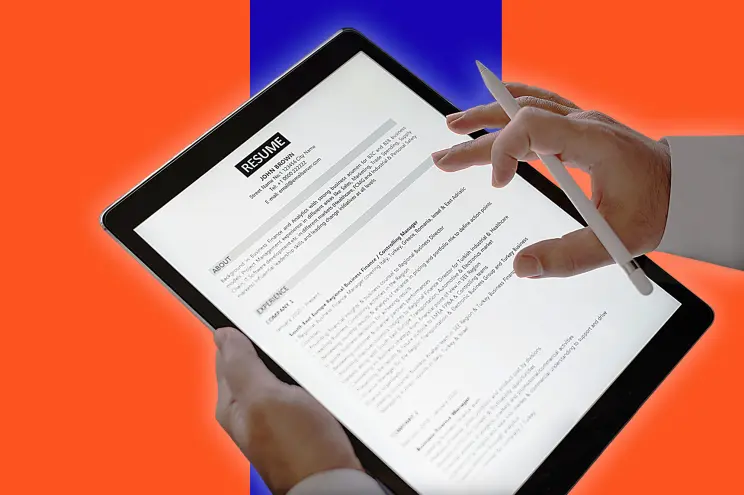
Resume Online Services: Empower Your Job Search
Are you ready to embark on a successful job search journey? In today’s highly competitive job market, crafting a standout resume is your passport to landing the job of your dreams.
Gone are the days when resumes were just text on paper. In 2026, your resume is your digital first impression — and thanks to innovative online tools like MyCVCreator.com, you can design, customize, and optimize a professional resume that gets noticed by both recruiters and AI-powered hiring systems.
This guide explores everything you need to know about online resume builders, highlighting why MyCVCreator has become the go-to platform for professionals worldwide.
Why Choose Online Resume Services?
1. Convenience and Accessibility
Online resume services have revolutionized job applications. With MyCVCreator, you can create, edit, and download your resume anytime, anywhere — no need for complex design software or endless formatting frustrations.
You can build a professional-looking resume in minutes, directly from your laptop, tablet, or even your smartphone.
2. Professionally Designed Templates
A great resume doesn’t just tell your story — it shows it visually.
MyCVCreator.com offers a wide range of templates, professionally designed to meet modern hiring trends.
Each template reflects industry-specific aesthetics, from clean corporate layouts to creative designs for digital professionals, helping you make a strong first impression.
3. Advanced Customization Options
No two career stories are the same — and your resume shouldn’t be either.
With MyCVCreator, you can:
-
Adjust colors, fonts, and layouts
-
Reorder sections to highlight your best achievements
-
Add or remove categories like certifications, publications, or volunteer work
This ensures your resume is truly personalized to reflect your skills, experiences, and personality.
Exploring the Power of MyCVCreator.com
Key Features That Set It Apart
MyCVCreator.com was built to simplify the resume creation process while delivering professional results. Its modern tools cater to all types of users — from fresh graduates to senior executives.
✅ User-Friendly Interface
The intuitive dashboard allows even non-technical users to build resumes effortlessly. Simply choose a template, fill in your details, and preview your design in real time.
✅ Vast Template Collection
MyCVCreator provides a rich library of templates tailored to every industry — whether you’re in healthcare, tech, finance, education, or design. Each layout is ATS-friendly, ensuring your resume passes automated screening systems.
✅ Cloud Saving & Easy Edits
You can save your resume securely, revisit it anytime, and make updates as your career evolves.
How to Create a Resume on MyCVCreator.com
Step 1: Register and Log In
Start by signing up on MyCVCreator.com. Once you create your account, you gain full access to resume templates, cover letter builders, and other career tools.
Step 2: Choose Your Template
Browse through the modern, professional templates and select one that suits your job role and personality.
Tip: Keep design and readability balanced — recruiters appreciate clarity over complexity.
Step 3: Enter Your Information
Add your personal details, work experience, skills, education, and certifications. MyCVCreator’s guided process helps you stay organized and ensures you don’t miss any vital section.
Step 4: Customize Your Layout and Design
Infuse your personal touch by editing fonts, spacing, and accent colors. The live preview feature ensures that what you see is exactly what the recruiter will get.
Step 5: Review, Download, and Apply
Proofread your resume before downloading it in PDF or DOCX format. Once it’s ready, start applying to jobs directly with confidence — your resume will speak for you.
Tips for Creating an Effective Resume Online
Highlight Achievements, Not Just Tasks
Employers care about results, not just responsibilities.
Instead of saying:
“Responsible for managing social media campaigns.”
Try:
“Grew company’s social media engagement by 45% in 3 months.”
Quantifiable results make your resume powerful.
Use Relevant Keywords
Most employers use Applicant Tracking Systems (ATS) to filter resumes.
Include keywords from job descriptions — like “project management,” “CRM software,” or “customer success” — to ensure your resume makes it past digital screening.
Keep It Concise
Hiring managers prefer one- to two-page resumes. Be concise, avoid repetition, and focus on value-driven content that reflects your strengths.
SEO and Resume Optimization: Why It Matters in 2026
Make Your Resume Searchable
Just like websites, resumes benefit from search engine optimization (SEO). When uploading your resume to platforms like LinkedIn or job boards, use relevant keywords in your title, summary, and skills section to increase visibility.
Match Job Descriptions
Tailor your resume for each position. This shows recruiters you’re serious about the role — and improves your ranking in digital job searches.
Showcasing Your Skills and Experience
Highlight Core Skills
Include both technical and soft skills — such as leadership, communication, and problem-solving — in a dedicated section.
List Work Experience Effectively
Use bullet points to outline your achievements. Focus on what you accomplished, not just what you were assigned to do.
Include Education and Certifications
Mention your degree, institution, and year of graduation. Add any professional certifications or courses, especially those relevant to your field.
Cover Letters, Portfolios, and Extras
Add a Professional Cover Letter
A resume gets you noticed — a cover letter gets you remembered.
With MyCVCreator, you can easily create a matching cover letter to strengthen your application.
Showcase Your Portfolio and Certifications
For creative professionals — designers, writers, developers — linking your online portfolio can set you apart.
Attach samples, project links, or proof of certifications to give recruiters a deeper understanding of your capabilities.
Mobile Compatibility: Resumes for Every Device
In 2026, most recruiters review resumes on mobile devices.
That’s why MyCVCreator ensures all templates are fully mobile-responsive, maintaining their design integrity across all screen sizes — from smartphones to desktops.
Privacy and Security
Protecting Your Personal Data
Your data is valuable. MyCVCreator uses advanced encryption to safeguard your personal and professional information.
Robust Security Measures
All resumes and user data are stored securely, ensuring confidentiality and protection from unauthorized access.
Conclusion
In a fast-paced, competitive job market, your resume is your most powerful career tool.
Online resume builders like MyCVCreator.com simplify the process, offering convenience, customization, and professional quality all in one platform.
With user-friendly features, beautiful templates, and reliable data protection, MyCVCreator helps you create a standout resume that truly represents who you are — and what you can achieve.
Start your journey today at MyCVCreator.com and take the first step toward your next big career opportunity.
FAQs (Frequently Asked Questions)
1. Can I edit my resume after creating it on MyCVCreator.com?
Yes! You can log in anytime to update or modify your resume.
2. Does MyCVCreator have industry-specific templates?
Absolutely. Templates are tailored for fields such as healthcare, IT, marketing, engineering, and more.
3. Is mobile responsiveness important for resumes?
Yes — most recruiters now review resumes on mobile devices. MyCVCreator ensures your resume looks great everywhere.
4. Can I create a cover letter using MyCVCreator?
Definitely! You can design a matching cover letter to complement your resume.
5. Is my data secure on MyCVCreator.com?
Yes. MyCVCreator uses encryption and strict security protocols to protect all personal data.


