How to Become a Software Engineer (Step-by-Step Guide)
Software engineering is one of the most flexible and future-resilient careers you can build because software sits underneath almost every modern industry finance, healthcare, education, logistics, entertainment, government, and more. As a software engineer, you can choose the environment that fits your lifestyle and goals: join a fast-moving startup where you ship features quickly, work in a large company with structured teams and large-scale systems, build products used by millions, or operate independently as a freelancer or contractor. You can also work remotely from almost anywhere, collaborate with global teams, and specialize in areas that match your strengths frontend, backend, mobile, cloud/DevOps, data engineering, security, or full-stack.
The entry route is also more open than many other professional careers. Some engineers come through university degrees, others through coding bootcamps, and many build their skills through self-directed learning. What matters most is not your background but your capability: employers and clients want evidence that you can solve problems, write clean code, collaborate effectively, and deliver working software. If you can demonstrate those skills through projects, a strong portfolio, and clear communication, you can compete for opportunities regardless of how you learned.
This guide walks you through the full process end-to-end: what to learn first (and what to ignore until later), how to practice in a way that actually builds real skill, how to create projects that prove competence, how to present your work with a portfolio that recruiters understand, and how to prepare for interviews so you can confidently secure internships, junior roles, freelance clients, or your first full-time software engineering job.
## Table of Contents
1. What a Software Engineer Actually Does
2. Choose Your Direction (So You Don’t Get Stuck)
3. The Skills Every Software Engineer Needs
4. Education Paths: Degree vs Bootcamp vs Self-Taught
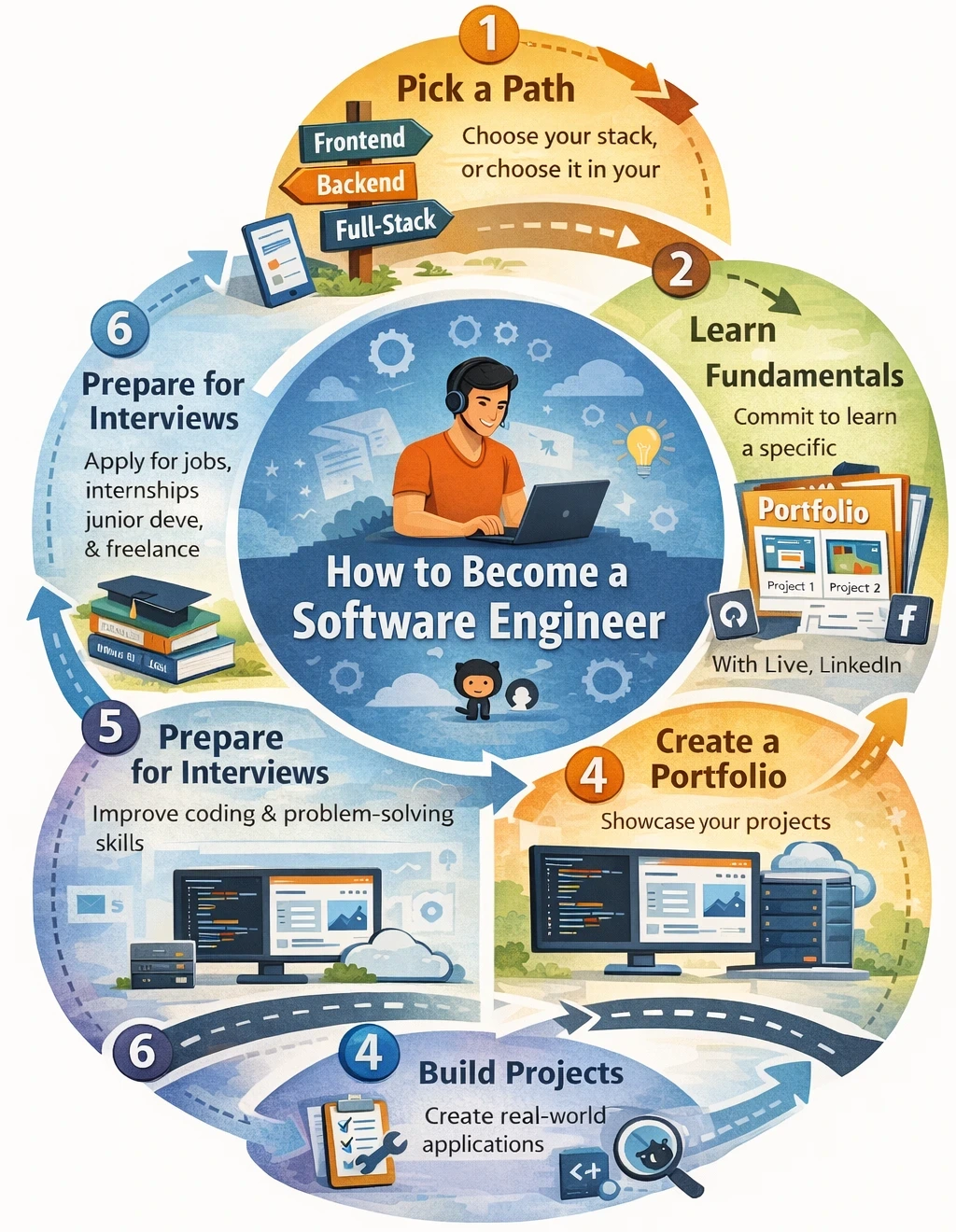
5. A Practical Roadmap: Beginner to Job-Ready
6. Build Projects That Impress Employers
7. Create a Strong Portfolio (Even Without Experience)
8. Get Your First Job: Internships, Junior Roles, and Freelance
9. Interview Preparation (Coding + Real-World Questions)
10. Common Mistakes to Avoid
11. How Long It Takes (Realistic Timelines)
12. FAQs
1) What a Software Engineer Actually Does
A software engineer is responsible for turning ideas, business needs, and user problems into working software that is reliable, secure, and maintainable. The job goes far beyond writing code. In practice, software engineers design systems, make tradeoffs, collaborate with teams, and continuously improve software after it has been released.
At a high level, a software engineer designs, builds, tests, ships, and maintains software systems. Depending on the company and team, that work can include:
Building websites and web applications (dashboards, portals, e-commerce sites, booking systems, internal tools)
Creating mobile apps for Android and iOS (consumer apps, fintech apps, productivity tools)
Writing backend services and APIs (authentication, payments, search, notifications, integrations)
Working on cloud infrastructure (deployments, CI/CD pipelines, reliability, scaling, observability)
Building developer tools and automation (scripts, build tools, internal platforms, test frameworks)
Improving performance, security, reliability, and scalability (speed, uptime, data protection, system stability)
What “building software” looks like in real life
Software engineering usually follows a cycle:
Understand the problem
Who is the user?
What is the goal?
What does “success” look like (speed, accuracy, reduced cost, higher conversion, fewer support tickets)?
Plan the solution
Decide the architecture (simple vs modular, monolith vs services)
Choose data storage (SQL vs NoSQL) and integrations (APIs, third-party services)
Identify risks (security, data privacy, performance bottlenecks)
Implement the solution
Write features incrementally
Keep code readable and consistent with team standards
Handle edge cases and failures (invalid inputs, timeouts, network issues)
Test and validate
Automated tests (unit, integration, end-to-end)
Manual testing and QA checks
Performance and security checks where needed
Deploy and monitor
Release the change to production
Watch logs, error rates, latency, and uptime
Roll back or patch quickly if an issue appears
Maintain and improve
Fix bugs
Refactor messy parts
Improve reliability and performance
Add new features as needs evolve
This cycle repeats constantly, which is why software engineering is as much about discipline and systems thinking as it is about code.
Typical responsibilities
Below are the responsibilities you will see in most software engineering roles, with what they mean in practice:
1) Turning product requirements into working features
Engineers convert “what the business wants” into “what the software does.” That includes:
clarifying requirements and edge cases
breaking a feature into smaller tasks
estimating effort and communicating tradeoffs
delivering something usable within deadlines
Example: “Add a checkout system” becomes payment integration, cart logic, database changes, fraud checks, email receipts, and error handling.
2) Writing clean, maintainable code
Professional code must be understandable by other engineers (and by you six months later). This means:
clear naming, consistent structure, and small functions
avoiding duplicated logic
documenting decisions when they are not obvious
following coding standards and style guides
Maintainable code reduces bugs and makes teams faster over time.
3) Fixing bugs and improving existing code
Much of engineering is working with existing systems:
diagnosing issues from logs and user reports
reproducing bugs, isolating root causes, and implementing fixes
improving confusing code paths and removing technical debt
Bug fixing is where many engineers become truly strong, because it forces deep understanding.
4) Writing tests and reviewing teammates’ code
Testing protects the product from regressions and boosts confidence in releases:
unit tests for core logic
integration tests for APIs and databases
end-to-end tests for critical user flows
Code reviews are equally important:
catching bugs early
improving code quality
sharing knowledge and maintaining consistent standards across the team
5) Working with databases and APIs
Most real software is “data + logic.” Engineers frequently:
design database tables and relationships
write queries and optimize performance
integrate external APIs (payments, messaging, maps, analytics)
ensure data consistency, validation, and security
6) Deploying software and monitoring it in production
Shipping code is not the finish line. Engineers also:
deploy changes safely (feature flags, staged rollouts)
monitor production (logs, metrics, alerts)
troubleshoot outages and incidents
improve observability to detect problems earlier
Where software engineers work (and how roles differ)
Software engineering varies by environment:
Startups: broader responsibilities, faster shipping, more ownership, less structure
Large companies: specialized roles, mature processes, large-scale systems, strong mentorship opportunities
Agencies: multiple client projects, deadlines, frequent context switching
Freelance/contracting: high autonomy, client communication, project scoping, delivery-focused work
Your day-to-day work changes, but the core skill remains the same: building dependable software that solves real problems.
The mindset: beyond “knowing a language”
Software engineering is less about memorizing syntax and more about:
problem-solving: turning ambiguity into clear tasks and solutions
systems thinking: understanding how components interact (UI, API, database, infrastructure)
reliability: building software that behaves correctly under real-world conditions
communication: explaining choices, collaborating, and documenting decisions
learning speed: adapting quickly as tools and requirements change
If you can consistently build working systems, handle complexity, and improve software over time, you are thinking like a software engineer.
2) Choose Your Direction (So You Don’t Get Stuck)
Many beginners get overwhelmed because “software engineering” is a very large field. If you try to learn everything at once web, mobile, cloud, data, security, AI, and multiple programming languages you will likely end up moving slowly, losing motivation, or feeling like you are “not ready yet.”
The fastest path is to choose one direction first, build competence and proof through projects, and then expand. Think of your first direction as your “entry lane” into the industry. Once you can build real software in one lane, switching or adding lanes becomes dramatically easier.
Why choosing a direction matters
It reduces complexity: you focus on one set of tools and skills instead of scattered learning.
It speeds up learning: repetition in the same area builds depth quickly.
It helps your portfolio: your projects look coherent and targeted.
It improves hiring outcomes: recruiters can quickly understand what role you fit.
Popular paths
Below are the most common software engineering paths, what you actually do day-to-day, and what “job-ready” looks like in each.
A) Frontend (Web UI)
What you build: the interface users see pages, dashboards, forms, layouts, navigation, and interactive experiences.
Typical work includes:
Creating responsive layouts that work on mobile and desktop
Building reusable UI components (buttons, forms, modals, tables)
Handling user interactions, state, and UI logic
Integrating APIs to display real data
Improving performance (fast loading, smooth interactions)
Accessibility and UX improvements (keyboard navigation, readable UI)
Common tools:
HTML, CSS, JavaScript
React (often), or Vue/Angular
Build tools (Vite/Webpack), package managers (npm/yarn)
Testing tools (Jest, Playwright/Cypress) depending on the team
What “job-ready” looks like:
You can build a multi-page web app with authentication, API integration, forms, validation, and good UI structure.
You understand basic performance and accessibility.
Best for you if: you like visuals, product feel, UX, and seeing results quickly.
B) Backend (APIs + Data + Logic)
What you build: the systems behind the app business logic, databases, authentication, integrations, and APIs.
Typical work includes:
Designing and building REST/GraphQL APIs
Modeling data (tables, relationships, indexes)
Implementing authentication and authorization (roles, permissions)
Integrating third-party services (payments, emails, SMS, analytics)
Writing background jobs (queues, scheduled tasks)
Improving reliability (logging, error handling, monitoring)
Scaling and optimizing performance (caching, query tuning)
Common tools:
Node.js, PHP, Python, Java, C#, Go (choose one)
SQL databases (PostgreSQL/MySQL); sometimes NoSQL (MongoDB/Redis)
API styles: REST and/or GraphQL
Testing frameworks depending on language
What “job-ready” looks like:
You can build a secure API that supports CRUD operations, authentication, and database persistence.
You understand error handling, input validation, and basic security patterns.
Best for you if: you enjoy logic, structure, data, and system design.
C) Full-Stack
What you build: both frontend and backend complete features end-to-end.
Typical work includes:
Designing a feature and implementing UI + API + database changes
Building full products (admin dashboards, portals, SaaS apps)
Owning deployments and end-to-end debugging
Making architecture decisions for small-to-mid systems
Common tools:
A frontend framework (React/Vue/Angular)
A backend language/framework (Node/PHP/Python/Java/C#)
SQL database
Deployment tooling (basic cloud hosting)
What “job-ready” looks like:
You have 2–3 complete deployed projects that demonstrate real workflows: signup/login, dashboards, CRUD, roles, and integrations.
Best for you if: you want maximum flexibility, like building whole systems, and can commit to a structured roadmap (to avoid shallow learning).
D) Mobile
What you build: apps for Android and iOS consumer apps, fintech apps, logistics apps, internal tools.
Typical work includes:
Building screens and navigation flows
Integrating APIs and syncing data
Handling offline mode and device constraints
Working with push notifications, camera, location, and storage
Publishing builds and managing app store releases
Common tools:
Native: Kotlin (Android) and Swift (iOS)
Cross-platform: Flutter (Dart) or React Native (JavaScript/TypeScript)
What “job-ready” looks like:
You can build a mobile app that authenticates users, fetches data from an API, stores data locally, and handles real-world edge cases.
Best for you if: you want to build on-device experiences and enjoy polished app UX.
E) DevOps / Cloud
What you work on: the infrastructure and processes that keep software running reliably deployments, uptime, security, automation, scalability.
Typical work includes:
Setting up CI/CD pipelines for automated testing and deployment
Building Docker containers and deployment scripts
Managing cloud services (compute, storage, networking)
Monitoring systems (logs, metrics, alerts)
Improving reliability (backups, incident response, failover strategies)
Security hardening (permissions, secrets management, network controls)
Common tools:
Linux fundamentals
Docker and containerization
CI/CD tooling (GitHub Actions, GitLab CI, Jenkins)
Cloud: AWS/Azure/GCP (choose one)
Infrastructure as Code (Terraform, CloudFormation) later
What “job-ready” looks like:
You can deploy an app reliably, automate deployments, set up monitoring, and explain how you manage downtime risk.
Best for you if: you enjoy systems, automation, stability, and infrastructure.
F) Data / ML Engineering
What you build: data pipelines and systems that collect, clean, store, transform, and serve data for analytics, reporting, and machine learning.
Typical work includes:
Writing ETL/ELT pipelines (extract, transform, load)
Building analytics-ready datasets and dashboards
Ensuring data quality (validation, deduplication, lineage)
Supporting ML workflows (feature stores, model pipelines)
Scaling pipelines for performance and cost efficiency
Common tools:
Python, SQL
Data processing (Spark, pandas)
Orchestration (Airflow, Prefect)
Cloud data tools (BigQuery, Redshift, Snowflake varies by company)
What “job-ready” looks like:
You can build a pipeline that ingests data, transforms it, stores it, and makes it queryable or dashboard-ready.
Best for you if: you like working with data, analysis, automation, and measurable outcomes.
How to pick quickly (without overthinking)
Use the questions below to decide in minutes:
1) What type of work sounds most exciting?
“I want to build what users interact with.” → Frontend
“I want to build the engine behind the app.” → Backend
“I want to build complete apps end-to-end.” → Full-stack
“I want to build phone apps.” → Mobile
“I want to automate deployments and keep systems reliable.” → DevOps/Cloud
“I want to build data pipelines and analytics systems.” → Data/ML Engineering
2) What kind of feedback loop motivates you?
Fast, visual results → Frontend / Mobile
Deep logic and architecture → Backend
End-to-end feature ownership → Full-stack
Stability and automation wins → DevOps
Measurable business insights and pipelines → Data Engineering
3) What should most beginners choose?
If you want the broadest entry options: Frontend or Backend
If you want to move fast and show proof quickly: Frontend
If you like logic and want strong fundamentals that transfer well: Backend
If you want flexibility but can stay disciplined: Full-stack
Recommended starter paths (simple and effective)
If you want a clean entry plan, choose one of these:
Option 1: Web Full-Stack (most common)
JavaScript + React + Node (or PHP) + SQL
Best for general opportunities and portfolio building.
Option 2: Backend-first (strong fundamentals)
Python (or Java/C#) + SQL + REST APIs
Best for people who enjoy logic and data.
Option 3: Frontend-first (fast portfolio)
HTML + CSS + JavaScript + React
Best for people who want visible projects quickly.
A key rule: pick one direction for 8–12 weeks
Commit to one path long enough to:
finish 2 projects
deploy at least 1 project
learn one toolchain properly
After that, you can expand without feeling lost.
3) The Skills Every Software Engineer Needs
Regardless of your specialization frontend, backend, mobile, DevOps, or data strong engineers share the same core foundations. These skills are what make you dependable on a team, capable of learning new tools quickly, and able to build software that works reliably in the real world.
Think of this section as your “non-negotiables.” You can change frameworks over time, but these fundamentals and habits will carry your career.
A) Programming fundamentals
Programming fundamentals are the building blocks of everything you will do. If you master them, learning new languages and frameworks becomes much easier because the underlying concepts are the same.
What you must understand and practice:
1) Core language constructs
Variables and data types: strings, numbers, booleans, null/undefined, objects, arrays
Operators: arithmetic, comparison, logical operators
Control flow:
if/else,switch, loops (for,while), and short-circuit logicInput/output: reading inputs, returning values, formatting outputs
Why it matters: most bugs come from incorrect assumptions about types, conditions, and edge cases.
2) Functions and modular thinking
Functions: defining, calling, returning, and composing functions
Parameters and arguments: designing functions that are reusable
Scope: local vs global scope, closures (where relevant), avoiding unintended side effects
Recursion (basic): understanding how functions can call themselves, mainly for tree-like problems
Why it matters: professional code is organized into small, readable units. Functions are the primary unit of reuse and clarity.
3) Data structures you use daily
Arrays/lists: adding, removing, iterating, filtering, mapping
Objects/maps/dictionaries: storing and retrieving key-value data efficiently
Sets: handling unique values, membership checks
(Later) Stacks and queues: common in real tasks like parsing, navigation, scheduling
Why it matters: choosing the right structure reduces complexity and improves performance.
4) Basic algorithms and “complexity thinking”
Searching: linear search, binary search (when data is sorted)
Sorting: using built-in sorts correctly; understanding what sorting enables (fast lookups, grouping)
Complexity basics: understanding when a solution becomes slow as input grows (Big-O intuition)
Why it matters: you do not need advanced algorithms to start, but you do need to recognize inefficient approaches and improve them.
Practical benchmark: you should be able to solve small coding tasks (string manipulation, list filtering, deduplication, counting frequencies) cleanly and confidently.
B) Problem-solving skills
Software engineering is mostly problem-solving under constraints: unclear requirements, imperfect data, deadlines, and unexpected bugs. The difference between beginners and professionals is often not “who knows more code,” but “who can systematically move from confusion to a working solution.”
1) Breaking problems into smaller steps
Strong engineers can take something big (“Build a login system”) and break it into:
UI form + validation
API endpoint for login
password hashing and verification
session/token handling
error states and security checks
tests and monitoring
A useful habit is to write a quick checklist:
Inputs
Outputs
Constraints
Edge cases
Steps needed to ship
2) Debugging systematically (instead of guessing)
Debugging is a core engineering skill. Effective debugging means:
reproducing the bug consistently
isolating the smallest failing case
inspecting logs and error traces carefully
testing one change at a time
verifying the fix with tests or clear reproduction steps
ADVERTISEMENT
Common tools:
console logs / print statements
debugger breakpoints
logging in backend services
browser dev tools for frontend
database query logs where relevant
3) Reading documentation and error messages
In real jobs, you will constantly work with libraries you have never seen before. Your ability to:
read docs quickly
find examples
interpret error messages
search effectively (and verify what you found)
is one of the highest-leverage skills you can build.
Practical benchmark: you can take a new tool (a package, an API, a framework feature), read the docs, and implement a simple working example without being coached step-by-step.
C) Computer science basics (high ROI)
You do not need to be a computer science graduate to become an excellent software engineer. However, there are specific CS fundamentals that deliver a strong return on effort because they help you reason about performance, reliability, and system behavior.
1) Big-O (time and space complexity)
You should understand:
what “O(n)” and “O(1)” mean at a practical level
why nested loops often become slow
how data structure choice affects performance
This does not need to be overly academic. You just need enough to answer:
“Will this become slow with 100,000 users?”
“Is there a simpler or faster approach?”
2) Common data structures and when to use them
At minimum, understand:
Lists/arrays: ordered data, iteration
Stacks: last-in-first-out (undo actions, parsing)
Queues: first-in-first-out (jobs, messaging, task processing)
Hash maps/dictionaries: fast lookups by key (caching, indexing, counting)
Trees (basic): hierarchical data (HTML DOM, file systems, categories)
You do not need deep theory early, but you should recognize these patterns and apply them.
3) Networking basics
Almost all software depends on networks.
Know:
how HTTP requests and responses work
status codes (200, 201, 400, 401, 403, 404, 500)
headers and cookies at a basic level
REST concepts (endpoints, methods: GET/POST/PUT/DELETE)
JSON as a data format
This knowledge helps you debug common real-world issues (CORS, timeouts, authentication failures).
4) Database fundamentals
You should understand:
what a database is and why it exists
the difference between SQL (relational) and NoSQL (non-relational)
tables, rows, primary keys, foreign keys
basic indexing concepts (why some queries are fast/slow)
ACID basics at a high level (consistency and reliability)
Practical benchmark: you can design a simple schema (users, posts, orders), write basic SQL queries, and explain why your tables relate the way they do.
D) Professional engineering habits
This is where many beginners fall behind: they can code, but they do not yet work like engineers. These habits are what make you effective in real teams and real production systems.
1) Git and GitHub (version control)
You should be able to:
initialize a repository, commit, and push changes
create branches and merge them
resolve simple merge conflicts
write meaningful commit messages
use pull requests (even for your own projects)
Why it matters: Git is how teams collaborate safely and track changes over time.
2) Writing readable code
Readable code is professional code. Focus on:
clear naming (variables, functions, files)
small functions that do one thing
consistent formatting and structure
comments only where they add clarity (why something exists, not what the code obviously does)
A helpful rule: write code as if someone else will maintain it next month because eventually, that “someone else” is you.
3) Testing basics
Testing is a safety net that prevents regressions and increases confidence in releases.
Start with:
Unit tests: test small functions and core logic
Integration tests: test how components work together (API + database)
(Later) End-to-end tests: test full user workflows
Practical outcome: you should be able to add tests for your most important features (login, payments, data creation) and run them automatically.
4) Security basics (must-have)
Even junior engineers should understand:
password hashing (never store plain passwords)
input validation and sanitization
authentication vs authorization (who are you vs what can you do)
permissions and roles (admin vs user)
basic protection against common risks (SQL injection, insecure direct object access)
You are not expected to be a security expert early but you must build with safe defaults.
5) Collaboration and communication (often overlooked)
In real teams, you will:
ask good questions and clarify requirements
write concise updates (“what I did, what’s blocked, what’s next”)
document decisions in tickets, README files, or short notes
participate in code reviews respectfully
This is part of engineering professionalism and directly affects hiring decisions.
A simple checklist for “strong foundations”
If you can do the following, your fundamentals are in good shape:
Build a small app without copying tutorial code line-for-line
Debug issues using logs, breakpoints, and careful reproduction
Design a simple database schema and write basic SQL queries
Build a basic API and connect it to a UI
Use Git confidently (branch, commit, push, merge)
Write readable code and explain your design choices
Add basic tests and handle common security concerns
4) Education Paths: Degree vs Bootcamp vs Self-Taught
There is no single “correct” route into software engineering. Your best path depends on your timeline, budget, learning style, and the type of roles you want to target. The good news is that software is one of the few professional fields where you can compete strongly without following a single traditional pipeline because hiring ultimately rewards demonstrated ability: proof you can build, debug, and ship real software.
That said, each route has tradeoffs. Understanding them helps you choose strategically and avoid wasting time or money.
Option 1: Computer Science / Software Engineering Degree
A university degree is the most traditional path. It typically includes computer science theory, programming, mathematics, and structured projects, and it often provides direct pipelines into internships and graduate roles.
What you learn (typical coverage)
Programming fundamentals and software design
Data structures and algorithms (more depth than most bootcamps)
Operating systems, networking, databases
Computer architecture, compilers (depending on curriculum)
Team projects, research, and software engineering processes
Pros
Structured learning: clear progression and academic support
Internship pipelines: many companies recruit directly from universities
Credential credibility: some employers filter for degrees, especially in enterprise settings
Deeper theory: gives you strong long-term foundation, especially for complex systems
Broader exposure: you may discover interests like security, AI, embedded systems, or distributed computing
Cons
Time commitment: usually 3–4+ years, which is slow if you want to switch careers quickly
Cost: tuition can be expensive depending on location
Not always job-focused: curricula may include courses that don’t directly translate into portfolio-ready skills
Still requires self-driven projects: a degree alone is rarely enough projects and internships matter
Best for you if:
You want internships and graduate programs
You prefer structured, long-term study
You’re aiming for roles where degrees are more common (some enterprise, research-adjacent roles)
You enjoy theory and want deeper CS fundamentals
Option 2: Coding Bootcamp
Bootcamps are short, intensive programs designed to take someone from beginner to employable quickly, usually within 3–6 months (full-time) or longer (part-time). The strongest bootcamps focus on practical skills and portfolio projects.
What you typically learn
Web development fundamentals (HTML/CSS/JS)
A frontend framework (usually React)
Backend basics (APIs, authentication)
Databases (basic SQL/NoSQL)
Deployments and portfolio building
Interview prep (varies by program)
Pros
Fast timeline: compressed learning with a practical focus
Structured curriculum: less guesswork than self-teaching
Portfolio-focused: often includes guided projects that help with proof-of-skill
Accountability: deadlines, mentors, and peer support keep you moving
Career support: some offer mock interviews, resume reviews, networking, and job-search coaching
Cons
Quality varies significantly: outcomes depend heavily on the bootcamp’s curriculum, instructors, and support
Cost can be high: some bootcamps cost as much as a year of university
Intensity is real: fast pace can lead to shallow understanding if you don’t review fundamentals
Not always fundamentals-heavy: some programs prioritize frameworks over deep problem-solving skills
No guaranteed job: even strong bootcamps require substantial effort to stand out
How to evaluate a bootcamp (important)
If you consider a bootcamp, look for:
Transparent graduate outcomes (placement rates, timelines, types of roles)
Clear curriculum details (projects, backend depth, testing, deployment)
Real code reviews and feedback (not just lectures)
Strong instructor quality and mentor access
Alumni reviews from multiple sources
Capstone projects that are actually deployable and impressive
Best for you if:
You want structure and speed
You learn best with deadlines and instructor guidance
You can commit to intensive study time
You want a practical portfolio quickly
Option 3: Self-Taught
Self-taught learning is the most flexible path and can be extremely effective especially for people who are disciplined and willing to build real projects. Many excellent engineers come from self-taught backgrounds.
What self-taught learning looks like
Following a roadmap rather than random topics
Combining short learning resources with consistent building
Repeating the cycle: learn → build → break → debug → improve → ship
Publishing your projects publicly (GitHub + portfolio + deployments)
Pros
Lowest cost: you can learn with free or low-cost resources
Flexible schedule: learn alongside school, work, or other responsibilities
Customized learning: focus on the tools and skills that match your target role
Real-world habit building: forces independence critical for long-term engineering success
Cons
Requires discipline: without structure, it’s easy to stop and restart repeatedly
Information overload risk: you can waste months learning disconnected topics
No built-in feedback: without mentors or code reviews, you may repeat mistakes
Harder accountability: you must manage your own goals, deadlines, and evaluation
Best for you if:
You are motivated and can self-manage
You want to minimize cost
You already have some tech experience or comfort learning independently
You can create accountability (community, mentor, schedule, milestones)
Best approach for most people
For many learners, the most effective route is a structured self-taught plan that combines:
A clear roadmap (so you know what to learn in the right order)
Project-based learning (so you build real proof, not just knowledge)
Accountability and feedback (community, mentor, weekly goals, code reviews)
This approach can match or exceed bootcamp outcomes when done correctly, because employers ultimately care about:
Can you build something real?
Can you explain your decisions?
Can you debug and improve?
Can you collaborate and communicate?
Hybrid routes that work extremely well
Many successful engineers use a hybrid approach. Examples:
1) Degree + portfolio (strongest combination)
Use the degree for fundamentals and internships
Use personal projects for job-ready proof
2) Self-taught + mentorship/community
Follow a roadmap
Build projects and get feedback via developer communities
3) Bootcamp + deep fundamentals
Use bootcamp for structure and speed
Add your own focused study on data structures, debugging, and system thinking
A practical way to choose your path
Use these quick decision rules:
If you can afford time and want internship pipelines: Degree
If you can afford cost and want intense structure quickly: Bootcamp
If you want flexibility and low cost and can stay consistent: Self-taught
If you’re unsure: start self-taught for 4–6 weeks using a roadmap.
If you struggle with structure, consider a bootcamp or mentorship.
The key point: hiring rewards proof, not background
No matter which education path you choose, you will need:
a portfolio with 2–4 strong projects
solid fundamentals (especially debugging, Git, databases, and APIs)
interview preparation
If you build real work and can explain it clearly, your education path becomes far less important than your results.
5) A Practical Roadmap: Beginner to Job-Ready
Below is a clear, step-by-step path you can follow from “I’m new” to “I can apply confidently.” You can adjust the order slightly, but do not skip the fundamentals. Most people get stuck because they learn randomly (a bit of HTML today, some Python tomorrow, a new framework next week) without building competence in a single stack.
This roadmap is designed to produce two outcomes:
Real skill (you can build and debug software), and
Proof (projects and a portfolio that employers can evaluate quickly).
Step 1: Learn one language deeply
Your first programming language is your main training ground. It is better to become strong in one language than shallow in three. Once you have a strong base, learning additional languages becomes much easier because the concepts transfer.
Choose based on your goal
JavaScript: best choice if you want web development or full-stack (browser + server).
Python: excellent for backend, automation, scripting, data, and general purpose programming.
Java / C#: strong choices for enterprise jobs, large organizations, and structured backend systems.
PHP: widely used for web backends and content platforms, and can be a practical entry path for web development.
What “learn deeply” means (not just syntax)
You should be comfortable with:
variables, types, operators, control flow
functions, scope, modules/packages
error handling (try/catch or equivalents)
working with files and JSON
basic OOP concepts where relevant (classes, objects)
writing small programs without copy-pasting tutorial code
Practice method that works
Use a simple cycle:
Learn: watch/read a small concept
Apply: build a small exercise immediately
Stretch: modify it (add validation, handle edge cases)
Review: rewrite cleaner after 1–2 days
Goal checkpoint: You can build small command-line programs or mini-apps (calculator, notes app, simple data processor) confidently.
Step 2: Learn Git + GitHub early
Git is not optional in professional development. It is how teams track changes, collaborate, review code, and deploy safely. Learning Git early also protects your own work and helps you build a public track record.
Minimum skills you need
Initialize a repository and connect it to GitHub
Stage changes and commit regularly
Push and pull changes
Create and switch branches
Merge branches (and handle basic merge conflicts)
Write clear commit messages (“Add login validation” is better than “update”)
What to publish on GitHub (early habit)
Every project, even small ones
A simple README explaining:
what the project does
how to run it locally
key features
screenshots (if it has a UI)
Goal checkpoint: You can work on a feature in a branch, merge it into main, and your repo looks organized and professional.
Step 3: Learn how the web works (even if you’re not doing web)
Even if you want mobile, backend, data, or DevOps, web concepts show up everywhere. Most systems communicate over HTTP. Understanding the basics will help you debug real-world issues faster.
Concepts to understand (practical level)
HTTP/HTTPS: what requests are and what responses are
Methods: GET, POST, PUT/PATCH, DELETE
Status codes: 200/201, 400, 401, 403, 404, 500
APIs: how clients request data and how servers respond
JSON: the common format for sending/receiving data
Authentication basics:
sessions and cookies (common for web apps)
tokens/JWT (common for APIs and mobile apps)
Browser vs server:
browser renders UI and makes requests
server processes requests and talks to databases/services
Goal checkpoint: You can explain the path of a user action: “user clicks submit → browser sends request → server validates → database updates → server responds → UI updates.”
Step 4: Choose a specialization roadmap (and stick to it)
You now have enough foundation to specialize. Choose one track and follow it for at least 8–12 weeks so you can produce solid projects and measurable progress.
Below are practical roadmaps that reflect what junior roles actually require.
Frontend roadmap (practical)
HTML + semantic structure
headings, forms, input types
accessibility basics (labels, buttons, ARIA awareness)
building structured layouts without relying on divs everywhere
CSS (layout and responsiveness)
box model, positioning fundamentals
Flexbox and Grid
responsive design (media queries)
modern UI patterns (cards, navigation, forms)
JavaScript (browser programming)
DOM manipulation and events
form handling and validation
fetch APIs and async/await
state management basics (how UI reacts to data)
React (or Vue/Angular)
components, props, state
lists, conditional rendering
routing (multi-page feel in a single-page app)
forms, controlled inputs
working with APIs and loading/error states
API integration + authentication flows
login/signup flows
storing tokens safely (and understanding tradeoffs)
route protection (only logged-in users can access certain pages)
Testing + performance basics
basic unit/component tests
understanding re-renders and performance bottlenecks
reducing load time (asset sizes, lazy loading, caching concepts)
Frontend goal checkpoint: You can build and deploy a dashboard-style app with authentication, API integration, forms, and responsive UI.
Backend roadmap (practical)
Language basics + OOP fundamentals
functions, modules, error handling
basic OOP concepts (classes, objects) where relevant
writing clean, reusable business logic
Build REST APIs
routing, controllers/handlers
request validation
structured responses and error formats
pagination and filtering (common in real apps)
Databases (SQL + data modeling)
ADVERTISEMENT
designing tables and relationships
writing queries (CRUD + joins)
understanding indexes and query performance basics
Authentication + authorization
password hashing and verification
sessions vs JWT
role-based access (admin, user, editor)
protecting endpoints properly
Caching + background jobs (later)
caching expensive reads (Redis patterns)
background job queues for emails, reports, notifications
scheduled jobs (cron tasks)
Testing + logging + error handling
unit tests for business logic
API tests for endpoints
consistent error handling
logging and monitoring approach
Deploy to a cloud server
environment variables
production database configuration
running migrations
HTTPS and basic security hygiene
Backend goal checkpoint: You can build a secure API with auth, database persistence, tests, and a deployed endpoint that others can use.
Full-stack roadmap (practical)
Frontend basics + backend basics
enough to build UI screens and API endpoints
connect UI to backend reliably
Build and deploy a full CRUD app
create/read/update/delete flows
data validation
error handling
production deployment
Add auth, roles, payments (optional)
login/signup
protected routes
admin dashboard features
optional payment integration (useful for SaaS-style portfolios)
Improve architecture and tests
separate concerns (UI, services, controllers, repositories)
add tests to critical areas
improve security and validation
Build 2–3 production-quality projects
one “simple but polished”
one “full workflow app”
one “advanced feature app” (real-time, scheduling, multi-tenant, etc.)
Full-stack goal checkpoint: You have 2–3 deployed apps with clean repos and clear READMEs, and you can explain architecture, database schema, and tradeoffs.
Step 5: Learn databases properly
Databases are at the center of most software. Many beginners can “connect to a DB,” but struggle with modeling and querying correctly. This step is where you level up.
Minimum database skills you need
SQL queries:
SELECT, WHERE, ORDER BY
JOINs (inner/left joins)
GROUP BY and aggregation
Data modeling:
relationships (one-to-many, many-to-many)
foreign keys and constraints
normalization basics (avoid duplicated inconsistent data)
Indexing basics:
why indexes speed up lookups
why too many indexes can slow writes
understanding the concept of query planning (high-level)
Which database to choose
Pick one relational database and stick to it:
PostgreSQL (excellent general-purpose choice)
MySQL (widely used and very common)
Goal checkpoint: You can design a schema for a real app (users, roles, products, orders) and write queries to support it without guessing.
Step 6: Learn testing and debugging (do not skip)
Many beginners ignore testing and “just try to make it work.” In professional environments, that approach fails quickly because changes break old features, and debugging becomes unpredictable.
Testing skills to build
Unit tests: test core business logic functions
Integration tests: test API endpoints with the database
Smoke tests: quick checks that key flows work after deployment
Start small:
test authentication logic
test input validation
test “create and fetch” for your main data types
Debugging skills to build
reproduce issues reliably (write steps to reproduce)
isolate the failing part (frontend vs backend vs database)
use logging and breakpoints
read stack traces carefully and follow the error to its source
Goal checkpoint: You can confidently fix bugs in your own projects and explain what caused them and how you prevented them from returning.
A practical “job-ready” definition
You are close to job-ready when you can:
build and deploy a complete project (not just local)
implement authentication and protect sensitive actions
work with a relational database and write real queries
use Git fluently
add basic tests to your core features
debug issues without panic
explain your project architecture clearly
At that stage, you may still be learning (everyone is), but you have enough competence and proof to apply for internships and junior roles.

6) Build Projects That Impress Employers
Projects are the fastest way to become job-ready because they force you to combine skills the way real work does: planning, building, debugging, integrating tools, handling edge cases, and shipping something that other people can actually use. A project is not just “practice.” It is evidence.
When an employer hires a junior engineer, they are taking a risk. A strong project reduces that risk by showing:
you can complete work end-to-end,
you understand fundamentals (data, APIs, validation),
you can think through real constraints,
and you can communicate your work clearly.
Why projects matter more than certificates
Courses and certificates prove you watched or completed something. Projects prove you can:
turn requirements into features,
make good engineering tradeoffs,
write and organize code like a professional,
and ship a working product.
In hiring, “proof” usually wins over “potential.”
What makes a project “job-worthy”
A job-worthy project is not necessarily large. It is complete, realistic, and well-finished. Below are the qualities that make recruiters and hiring managers take a project seriously.
1) It solves a real problem (even a small one)
The best projects have a clear use case:
“Tracks expenses and categories monthly”
“Schedules appointments and sends confirmations”
“Stores job applications and follow-ups”
“Manages inventory levels and low-stock alerts”
A clear problem makes your project easier to explain and makes it feel like a real product.
2) It has a clean UI (if relevant)
For frontend/full-stack projects, employers want to see that you can build usable interfaces:
consistent layout and typography
sensible navigation
readable forms and error messages
responsive design (mobile + desktop)
loading states and empty states
A “clean UI” does not require fancy design. It requires clarity, consistency, and a user-friendly experience.
3) It uses a database (for full-stack/backend)
Databases show that you can build real applications with persistent data.
A project becomes more realistic when users can:
create records,
update them later,
search/filter them,
and see accurate results across sessions.
If you are building backend/full-stack, a database is a core requirement.
4) It includes authentication and authorization
Authentication proves you can handle identity and security basics:
user registration and login
password hashing (never plain-text storage)
protected routes/endpoints
role-based access (admin vs user) if relevant
Many employers consider this a baseline skill for real product work.
5) It has validation, error handling, and good UX
A strong project handles “real world” behavior:
input validation (required fields, formats, limits)
friendly error messages (not cryptic errors)
edge cases (empty lists, network failure, invalid data)
consistent API error responses on the backend
confirmation messages and undo actions where useful
This is where many beginner projects fail. They “work when everything goes right,” but break when users behave like humans.
6) It is deployed and shareable
A GitHub repo is not enough. Deployed projects show you can ship:
a live URL (web app or API)
a working demo environment
environment variables configured correctly
basic production readiness (not perfect, but stable)
If an employer can click a link and try your project, your chances improve dramatically.
7) It has a clear README (this is more important than beginners think)
Your README is how recruiters quickly understand your work. It should include:
what the project does (short summary)
features list (bullet points)
tech stack
screenshots (or short GIF)
setup steps (run locally)
deployment notes (optional but strong)
test instructions (if you have tests)
known limitations + future improvements
A clean README signals professionalism and communication skills two things employers value highly.
What employers secretly look for in projects
Beyond the feature list, project reviewers often look for signals such as:
Code quality signals
consistent naming and folder structure
separation of concerns (UI vs logic, controllers vs services)
limited duplication (reusable components/functions)
meaningful commit history (not “final commit” only)
Engineering mindset signals
handling edge cases instead of ignoring them
readable error handling and logging
reasonable security defaults
tests for critical flows
performance awareness (avoid obviously slow patterns)
Product thinking signals
clear user flows
thoughtful UX details (empty states, loading, confirmation)
a small set of features implemented well (instead of many features done poorly)
How to design a “standout” project (simple framework)
If you want your project to feel like something a company would build, structure it like this:
Pick a user and a goal
Who uses it?
What are they trying to achieve?
Define a tight feature scope (MVP)
The smallest version that is still useful
Add 2–3 “real-world” features
Choose features that show engineering maturity, such as:
search + filtering
pagination
roles/permissions
file upload
background job (email notification)
analytics dashboard
rate limiting (API)
Polish
validation and error handling
responsive UI
clear copy and status messages
deployment
This creates depth without making the project too big.
Project ideas by level
Below are project ideas, what to include, and how to make each one “hireable.”
Beginner projects (1–2 weeks)
These projects build confidence and fundamentals. They should still be finished, deployed (when possible), and well-documented.
1) To-do app with categories and persistence
Upgrade it with:
categories/tags, due dates, priority
local storage or a simple database (if full-stack)
filters (today, completed, overdue)
empty states and validation
2) Expense tracker
Upgrade it with:
categories (transport, food, bills)
monthly summaries
charts (optional)
export to CSV (nice bonus)
basic authentication if full-stack
3) Simple blog (create, list, view)
Upgrade it with:
markdown editor (optional)
search by title/tag
pagination
admin-only post creation
4) Weather app using a public API
Upgrade it with:
saved locations
loading and error states
unit switching (C/F)
“last updated” time
caching results for faster reloads
5) Quiz app with scoring and timed sessions
Upgrade it with:
question categories
timed mode + review answers
saved results and progress tracking
leaderboard (even local leaderboard is fine)
Beginner goal: show clean UI, state management, and polished flows.
Intermediate projects (2–6 weeks)
These projects should include authentication, database, and more realistic user workflows.
1) Job board clone
Make it strong with:
job search, filters, pagination
saved jobs and application tracking
admin posting panel (role-based access)
email notification when a job matches saved criteria (optional)
2) Inventory management mini-system
Add depth with:
products, categories, suppliers
stock in/out logs
low-stock alerts
role-based permissions (staff vs admin)
export reports
3) Event booking app with admin dashboard
Add:
events list, seat limits, booking confirmation
admin create/edit events
QR code ticket generation (optional)
booking status (confirmed/cancelled)
email confirmations (optional)
4) Simple e-commerce store (cart + checkout simulation)
Make it realistic with:
products, categories, search
cart persistence
order history for users
admin inventory management
payment simulation or real payment integration (optional)
5) Study planner with reminders and streak tracking
Add:
timetable builder
tasks and deadlines
streaks + progress analytics
reminders (email or in-app notifications)
calendar view
Intermediate goal: demonstrate end-to-end development, auth, data modeling, and production deployment.
Advanced projects (6–12+ weeks)
These projects signal readiness beyond junior basics. You do not need many of them one strong advanced project can be a major differentiator.
1) Multi-tenant SaaS app (accounts, teams, billing)
Core features:
organizations/teams (tenant model)
roles (owner/admin/member)
subscription tiers and billing (optional but strong)
audit logs, usage limits (bonus)
strong security boundaries between tenants
This shows architecture thinking and real-world SaaS patterns.
2) Real-time chat app (websockets)
Make it strong with:
online/offline presence
typing indicators
message delivery/read status (optional)
group chats
moderation tools (admin actions)
This demonstrates event-driven systems and state management.
3) Video interview practice platform (record, store, review)
Strong features:
record video responses per question
store videos securely
review dashboard with notes and scoring
time limits and question sets
shareable review link (optional)
This shows media handling, storage, and complex workflows.
4) API platform with rate limits and API keys
Include:
API key issuance per user
rate limiting per key
usage analytics dashboard
versioning and documentation
logging and monitoring
This shows backend maturity and platform thinking.
5) Data pipeline + dashboard (ETL + analytics)
Include:
ingest data on a schedule
ADVERTISEMENTtransform and store clean datasets
build a dashboard (KPIs, charts)
data quality checks
performance and cost awareness
This is excellent for data engineering roles.
Advanced goal: show architecture, scalability awareness, reliability, and production readiness.
How many projects do you actually need?
You do not need 10 projects. You need 2–4 strong ones that show depth.
A strong portfolio often looks like:
Project 1 (polished): simple but clean and complete (great UI/UX or clean API)
Project 2 (full workflow): auth + database + real use case
Project 3 (differentiator): advanced feature (real-time, scheduling, multi-tenant, payments, media)
Optional Project 4: role-specific project aligned with your target job
A simple “project scoring” checklist (use this before publishing)
A project is portfolio-ready if it has:
A clear problem statement and user flow
Clean UI (if applicable) and responsive layout
Database persistence (if backend/full-stack)
Authentication (and roles if needed)
Validation, error handling, empty/loading states
Deployed demo link
Well-written README with screenshots and setup instructions
Clean commit history and structured code
If you hit these points, your project will look like professional work not “tutorial practice.”
7) Create a Strong Portfolio (Even Without Experience)
A portfolio is your proof-of-skill package. It answers the only question employers truly care about when hiring junior engineers: Can you build and ship working software, and can you explain it clearly?
You do not need professional experience to create a strong portfolio. You need evidence: projects, clean code, clear explanations, and a professional presentation.
What a “strong portfolio” actually is
A strong portfolio is not a fancy website. It is a small set of high-quality projects presented in a way that makes it easy for recruiters, hiring managers, and engineers to evaluate you quickly.
A strong portfolio should communicate:
What you can build (scope and complexity)
How you build (code quality, structure, testing, security)
How you think (tradeoffs, debugging, architecture)
How you communicate (clarity, documentation, professionalism)
Portfolio checklist (what to include)
1) A simple portfolio home (one page is enough)
You can use:
a personal website, or
a GitHub profile + pinned repos, or
a LinkedIn “Featured” section with project links
What matters is that it is clean, easy to navigate, and includes:
Your name + role target (e.g., “Junior Backend Developer”)
Your primary tech stack
Links: GitHub, LinkedIn, email
2–4 project cards with demo links and repo links
2) 2–4 high-quality projects (depth beats quantity)
Your best portfolio projects should include:
at least one project with authentication + database
at least one project that shows real workflows (admin dashboard, filters, roles, reports, etc.)
one “differentiator” project with an extra signal (payments, real-time, scheduling, media upload, background jobs, rate limiting)
A strong set usually looks like:
Project 1 (polished): clean UI or clean API, strong UX, great README
Project 2 (workflow): auth + database + admin features
Project 3 (differentiator): real-time, payments, multi-tenant, media, or analytics
Optional Project 4: specialization-aligned (mobile, DevOps, data pipeline, etc.)
3) Live demos (when possible)
A live demo is a major advantage because it reduces friction:
recruiters can click and test quickly
your work looks closer to production reality
If deployment is difficult (e.g., mobile), provide:
a short demo video
screenshots
clear setup steps
4) Clear README files (non-negotiable)
Each project should have a README that includes:
A) Summary (2–4 lines)
what the app does
who it is for
key value
B) Features
bullet list of main features
C) Tech stack
frontend, backend, database, hosting
D) Screenshots / GIF
show the UI or API examples
E) Setup instructions
how to run locally (install, env vars, DB setup)
example
.env.example
F) Testing instructions
how to run tests (even if minimal)
G) Roadmap / Improvements
what you plan to improve next (shows ownership)
This is how you make your project reviewable in 60 seconds.
What to write in each project description (copy-ready structure)
Use this format on your portfolio site and in your README:
Problem
What real problem does this solve?
Solution
What did you build, and what is the main workflow?
Tech
Stack used and why (short, not essay-length)
Highlights
Auth, roles, search, pagination, caching, deployment, tests, etc.
Engineering decisions
One or two tradeoffs you made (e.g., “Chose PostgreSQL for relational data integrity”)
Results
If measurable: performance improvements, load times, reduced complexity, etc.
Example (short):
Problem: users struggle to track job applications and follow-ups.
Solution: built an application tracker with reminders and status pipelines.
Highlights: auth, role-based admin, search/filter, email notifications, deployed API + UI.
Decisions: used PostgreSQL for relational data and indexed search fields for fast filtering.
GitHub hygiene (signals employers notice immediately)
Recruiters and engineers infer professionalism from your repos. Improve these areas:
1) Pinned repositories
Pin your 3–4 best projects so they appear at the top of your profile.
2) Commit quality
Good signs:
many commits over time
meaningful messages (“Add password hashing”, “Implement pagination”)
Bad signs:one giant commit (“final”)
copy-paste tutorial history
3) Clean structure
organized folders
consistent naming
separate concerns (UI vs services, controllers vs business logic)
4) Issues and roadmap (optional but strong)
Creating a few GitHub issues for planned improvements shows product thinking and organization.
How to make your portfolio stand out as a beginner
1) Add “real-world” features
Instead of adding many shallow features, add a few that show maturity:
authentication + roles
search + filtering + pagination
file upload (images, documents)
background jobs (email notifications)
rate limiting and API keys (backend)
caching (Redis or simple caching patterns)
logs and monitoring notes
2) Include architecture and database diagrams (simple)
Even one small diagram can signal strong thinking:
high-level architecture: UI → API → DB
database schema: users, roles, entities, relationships
Keep it simple and readable.
3) Show deployment competence
Add a short “Deployment” section:
where it is hosted
how env vars are managed
how migrations are handled
how secrets are protected
This is a strong differentiator for junior candidates.
4) Add tests for critical flows
Even a small test suite is a signal that you understand quality:
login/auth tests
create/update record tests
validation tests
A practical “portfolio review” checklist (use before applying)
Your portfolio is ready when:
You have 2–4 projects that are finished (not half-built)
At least one project is deployed and usable
Each project has a clear README with screenshots and setup steps
Your GitHub profile has pinned repos and clean commit history
You can explain each project’s architecture and tradeoffs in 2–3 minutes
Your projects show fundamentals: auth, database, validation, error handling
What to say when you share your portfolio
When applying, keep it direct:
Link to your portfolio
Mention 1–2 projects relevant to the role
Highlight key skills: “built secure REST API with auth + PostgreSQL,” “deployed to production,” “added tests”
Your goal is to make it easy for a reviewer to say:
“This person can build real software. Let’s interview them.”
8) Get Your First Job: Internships, Junior Roles, and Freelance
Getting your first software engineering job is less about being “perfect” and more about being credible. Employers want to see that you can contribute to real work: build features, fix bugs, collaborate, and learn quickly. Your goal is to make it easy for someone to take a chance on you by presenting clear proof (projects), a focused target role, and a smart application strategy.
This section covers how to choose the right entry roles, gain experience without a formal job title, and network in a way that consistently leads to interviews.
A) Target roles that match your current level
One of the biggest mistakes beginners make is applying to roles that require skills they have not built yet (mid-level, senior, specialized roles). Instead, aim for entry roles where your current portfolio and fundamentals are relevant.
Common entry roles (and what they usually expect)
1) Intern Software Engineer
Often best for students or recent graduates, but some companies accept career switchers.
Typically expects: basic coding ability, willingness to learn, and a few projects.
Advantage: internships often convert to full-time offers.
2) Junior Frontend / Backend Developer
For candidates ready to contribute under guidance.
Typically expects: 2–4 solid projects, Git skills, and familiarity with a stack (React, Node/PHP/Python, SQL).
You should be able to build features and fix bugs without constant supervision.
3) Graduate Engineer / Entry-Level Engineer
Most common in larger organizations, especially those that hire cohorts.
Often expects: strong fundamentals, communication, and evidence of learning ability (projects, internships, university work).
Interviews may include coding tests and behavioral questions.
4) Support Engineer (Bridge Role)
A good option if you have strong troubleshooting skills and enjoy solving user problems.
Often involves: debugging, logs, basic scripting, understanding systems and APIs.
Advantage: you gain production exposure fast and can transition into backend, DevOps, or product engineering roles.
5) QA Automation (Bridge Role)
A strong path for people who want a structured entry and prefer building test systems.
Often involves: writing automated tests, test frameworks, CI/CD integration, bug reports.
Advantage: you learn systems, quality, and engineering discipline then transition into software engineering.
How to pick the right target role (quick rules)
If your portfolio is UI-heavy with React and responsive design: target Junior Frontend.
If your portfolio is API + database-heavy: target Junior Backend.
If you have 2–3 complete apps end-to-end: target Junior Full-Stack (or frontend/backend depending on role).
If you are strong at troubleshooting and want an entry point fast: consider Support Engineer.
If you prefer structured quality work and automation: consider QA Automation.
Focus beats scatter
Pick 1–2 target roles and tailor everything to them:
portfolio projects
resume headline
skills list
application messaging
This increases conversion dramatically because recruiters can quickly categorize you.
B) Build experience without a job title
If you do not have professional experience yet, you can still build credible “experience signals.” The objective is not to pretend you have a job. The objective is to create real artifacts: code, deployments, users, feedback, and measurable outcomes.
Here are the most effective ways to do that.
1) Contribute to open source (small fixes are fine)
Open source contribution shows you can work with existing code and collaborate.
Start with:
documentation improvements
fixing typos and broken links
adding tests
small bug fixes
improving error handling or logging
What employers like about open source:
you can read unfamiliar code
you can follow contribution guidelines
you can communicate in issues and PRs
you can ship changes safely
Tip: include 2–5 meaningful PRs on your resume and link them.
2) Build a real app for a small business, school, or community group
This is one of the strongest alternatives to “professional experience,” because it creates:
a real user,
real requirements,
real constraints,
and real feedback.
Examples:
appointment booking tool for a clinic or salon
inventory tracker for a small store
student portal prototype for a school club
volunteer management system for a community organization
simple CRM for a small service business
Even a simple app becomes powerful when it is used by real people.
What to document:
what problem existed before
what you built
what changed after (time saved, fewer errors, faster process)
3) Freelance small projects (strategically)
Freelancing can help you:
build confidence shipping for others
learn scoping and communication
get testimonials and references
Start small and specific:
landing pages with modern performance and SEO basics
simple dashboards and admin panels
API integrations (payments, emails, forms)
internal tools (data entry, reporting)
Important: do not overpromise. Choose projects that you can deliver cleanly and on time.
4) Join hackathons or coding challenges with teammates
Hackathons provide:
teamwork practice
rapid product building experience
portfolio artifacts
demos you can show publicly
Even if your hackathon project is not production-grade, it proves collaboration and execution under pressure.
5) Create “production-style” personal projects
If you cannot find a real client, simulate a real environment by building your project like a product:
auth + roles
validation + error handling
logging
tests for critical flows
deployment with environment variables
a roadmap and GitHub issues
This bridges the gap between tutorial projects and job-ready work.
C) Networking that actually works
Networking does not mean begging for jobs. It means becoming visible to people who can help you get opportunities: engineers, recruiters, founders, and community leaders.
What effective networking looks like
You show your work consistently.
You ask for feedback and guidance, not favors.
You build relationships over time, not in one message.
You become known as someone who ships.
Practical networking actions (high ROI)
1) Join developer communities
local meetups, tech hubs, and coding groups
online communities for your stack (frontend, backend, DevOps, etc.)
2) Attend meetups and online events
Go with a purpose:
meet 2–3 people
ask what they build
share one project link after the conversation (not immediately)
3) Post your projects and learning progress
Post:
short demos
what you built this week
lessons learned from debugging
before/after improvements (performance, refactor, test coverage)
Consistency matters more than perfection.
4) Ask for feedback, not “please hire me”
Feedback requests are easier to say yes to, and they often lead to referrals naturally.
A simple message that works:
“Hi, I built a [project] using [stack]. Could you review my repo and suggest improvements?”
Better message templates (copy-ready)
Template 1: Repo feedback
“Hi [Name], I’m targeting junior [frontend/backend] roles. I built a [project] to practice [skills]. If you have 5 minutes, could you suggest 1–2 improvements to make it more production-ready?”
Template 2: Advice request
“Hi [Name], I’m learning [stack] and building projects weekly. What skills do you think matter most for junior hires on your team?”
Template 3: Referral-ready follow-up
“Thanks for the feedback. I implemented your suggestions and deployed the update. If you hear of any junior roles that match [stack], I’d appreciate a referral or a direction.”
These messages work because they are specific, respectful, and focused on improvement.
A practical job search plan (to get interviews faster)
1) Apply in small batches and iterate
Do not send 200 identical applications. Send 10–20 targeted applications, then improve your:
resume bullets
portfolio presentation
project READMEs
interview preparation
Then repeat.
2) Tailor your “top 3 projects” to each role
For each job, lead with the projects that match that role:
frontend role: UI-heavy + API integration
backend role: API + DB + auth + tests
full-stack role: complete workflows and deployment
3) Track everything
Use a simple tracker (spreadsheet or Notion):
company, role, date applied
resume version used
follow-up date
outcome
Consistency and follow-up create momentum.
The outcome to aim for
Your first goal is not “a perfect job.” Your first goal is:
interviews,
feedback,
iteration,
and finally an offer.
If you target the right entry roles, build credible experience signals, and network through feedback and visibility, you can reliably move from “learning” to “earning” in software engineering.
9) Interview Preparation (Coding + Real-World Questions)
Most software engineering interviews test two broad categories:
Coding and problem-solving (can you think logically and write correct code under constraints?)
Practical engineering judgment (can you build real systems, explain your work, and operate like a teammate?)
Many candidates prepare only for coding puzzles and then struggle when asked to explain a project, discuss tradeoffs, or debug a scenario. Strong preparation covers both.
A) Coding interviews (problem-solving)
Coding interviews typically evaluate:
correctness (does your solution work?)
clarity (is your code readable and organized?)
efficiency (is it fast enough?)
reasoning (can you explain why it works?)
edge cases (does it handle unusual inputs?)
Core topics to prepare (and why they matter)
1) Arrays and strings
These appear in most beginner and junior interview questions.
You should be comfortable with:
scanning and counting
removing duplicates
reversing, rotating, slicing
parsing and formatting strings
finding subarrays/substrings with constraints
Common patterns:
frequency counting
sliding window (basic)
sorting + scanning
2) Hash maps (dictionaries)
Hash maps are used for:
counting frequencies (“how many times does each item appear?”)
fast lookups (“have I seen this before?”)
building indices (“value → position”)
grouping (“category → list of items”)
If you master hash maps, many interview problems become straightforward.
3) Two-pointer patterns
Two pointers are useful when:
data is sorted (or can be sorted)
you need pairs that satisfy a condition
you compare from both ends
you move a window across data
Examples:
“find two numbers that sum to X”
“remove duplicates in-place”
“reverse a string efficiently”
4) Stacks and queues
These show up in:
parsing (balanced brackets, expressions)
undo/redo logic
breadth-first traversal (queues)
task scheduling and buffering
You should know:
when a stack is appropriate (last-in-first-out)
when a queue is appropriate (first-in-first-out)
5) Basic trees (optional for junior, but useful)
Trees are common in more technical interviews, but even at junior levels, simple tree questions can appear.
At minimum, understand:
what a tree is (nodes, children)
depth-first traversal (DFS) and breadth-first traversal (BFS)
common use cases (hierarchies, DOM, categories)
If trees feel too advanced early, prioritize arrays, hash maps, and two pointers first.
How to practice effectively (the approach that actually works)
1) Do fewer problems, but go deeper
Instead of solving 100 shallow problems, solve 30–50 deeply:
understand the pattern
write the solution cleanly
identify the edge cases
rewrite from scratch later without looking
Depth builds skill; quantity alone builds false confidence.
2) Explain your solution out loud
Interviewers care how you think.
Practice saying:
what the input and output are
your approach
why you chose that approach
time and space complexity
edge cases you handle
If you can explain clearly, you look far more employable.
3) Start with a working solution, then optimize
A reliable interview approach:
write a simple correct solution first
confirm correctness
then improve efficiency if needed
This prevents “clever but broken” solutions.
4) Track your weak patterns
Keep a simple list:
problems you got wrong
the pattern involved (hash map, two pointers, stack)
what confused you (edge case, complexity, misunderstanding)
how you fixed it
Reviewing your weak patterns is faster than repeating random problems.
5) Practice under realistic constraints
At least sometimes, practice:
30–45 minute time blocks
typing without autocomplete reliance
writing on paper or a plain editor
handling minor pressure
This reduces interview anxiety because the format feels familiar.
B) Practical engineering interviews
Practical engineering interviews measure whether you can operate like an engineer on a team. Even for junior roles, you should be able to discuss your projects in a clear, structured way.
You may be asked about:
How you designed a project (architecture and component responsibilities)
How you handled errors and edge cases (validation, fallbacks, user experience)
How you stored data (schema design, relationships, indexing)
How you secured login (hashing, sessions/tokens, authorization)
How you deployed it (hosting, environment variables, migrations)
What you would improve next (performance, security, structure, features)
What to prepare (so you never freeze)
1) A simple architecture walkthrough
Be ready to explain your system in 60–90 seconds:
“Frontend UI calls the API.”
“API validates and runs business logic.”
“Database stores user and app data.”
“Authentication controls access.”
“Deployment runs on X hosting with env vars.”
A simple diagram (even in your head) is enough.
2) Database schema explanation
For each major table/entity, know:
what it stores
how it relates to other tables
why the relationship exists
how you ensure integrity (foreign keys, constraints)
Example questions:
“Why did you choose this schema?”
“How would you handle many-to-many relationships?”
“What would you index and why?”
3) API endpoints and responsibilities
Be able to list:
key endpoints (GET/POST/PUT/DELETE)
what each endpoint does
how errors are returned (consistent format)
how authorization is enforced (roles/permissions)
4) Tradeoffs and decisions
Interviewers like engineers who can explain tradeoffs.
Prepare 2–3 examples such as:
Why you chose PostgreSQL vs MongoDB
Why you used JWT vs sessions
Why you structured code into services/controllers
How you handled caching or why you postponed it
Tradeoffs show maturity, even as a junior.
5) Debugging story
Be ready to describe a real bug you fixed:
what the symptom was
how you reproduced it
how you isolated the cause
what the fix was
what you changed to prevent it (tests, validation, logging)
This is one of the strongest “practical engineer” signals.
Common behavioral questions (and how to answer them well)
Behavioral questions evaluate:
communication
teamwork and professionalism
accountability
learning ability
how you handle conflict or pressure
Common questions include:
“Tell me about yourself.”
“A tough bug you solved.”
“A time you disagreed with a teammate.”
“How do you learn new technologies?”
“Tell me about a project you’re proud of.”
“Describe a time you missed a deadline or made a mistake.”
Use the STAR method (and keep it tight)
Situation: what was happening?
Task: what were you responsible for?
Action: what did you do (specific steps)?
Result: what happened (ideally measurable)?
Example structure (short and effective):
Situation: “Users couldn’t log in after a deployment.”
Task: “I needed to restore access quickly and find the root cause.”
Action: “Checked logs, reproduced locally, identified token expiry misconfiguration, patched and added validation.”
Result: “Login restored, no repeat incidents after adding tests and monitoring.”
A practical interview prep plan (2–3 weeks)
If you want a simple plan that covers both interview types:
Week 1: Fundamentals + project review
10–15 coding problems focused on arrays/hash maps/two pointers
Write a 1-page “project brief” for your top project (architecture, schema, endpoints, tradeoffs)
Practice a 60-second walkthrough of your project daily
Week 2: Mixed practice + mock interviews
10–15 problems including stacks/queues
2 mock interviews (with a friend or recording yourself)
Practice behavioral answers using STAR (5–7 stories)
Week 3 (optional): Polish
Revisit weak patterns in coding
Improve README and deployment notes
Practice explaining tradeoffs and debugging stories
The goal: clarity under pressure
You do not need to be flawless. You need to be clear and structured:
write correct code with good reasoning,
explain your project like an engineer,
and show you can learn and collaborate.
That combination is what turns interviews into offers.
10) Common Mistakes to Avoid
Most beginners do not fail because software engineering is “too hard.” They fail because they follow inefficient learning patterns that feel productive but do not build real skill. Avoiding the mistakes below can save you months.
1) Tutorial addiction: watching more than building
Tutorials are useful for introducing concepts, but they create a dangerous illusion: you feel like you understand because the instructor is doing the hard thinking for you.
Symptoms of tutorial addiction
You can follow along, but you cannot rebuild the project from scratch.
You panic when something breaks because the tutorial did not cover it.
You collect courses instead of shipping projects.
Fix
Use a strict ratio:
20–30% learning content
70–80% building
A practical rule: after every tutorial, build a similar project without following the video. Change requirements (different UI, different data model, new feature) so you are forced to think.
2) Switching stacks every week: choose one path and commit
Jumping between JavaScript, Python, Java, frameworks, and tools slows you down because you never build depth. Employers want competence, not a list of technologies.
Fix
Pick one direction and commit for 8–12 weeks:
one main language
one main framework (if applicable)
one database
one deployment approach
Once you can ship confidently in one stack, you can add more later with much less confusion.
3) Skipping Git: it’s non-negotiable for real work
Git is how engineering teams collaborate and ship safely. If you avoid Git, you will struggle in professional environments and your portfolio will look immature.
Fix
Use Git from day one:
commit small changes frequently
use branches even when working alone
write clear commit messages
keep repos clean with good READMEs
Even junior hiring managers notice Git hygiene immediately.
4) Ignoring debugging: errors are where you actually learn
Many beginners try to avoid errors. In reality, debugging is a core engineering skill and it is how you develop real confidence.
Fix
Treat bugs as part of training:
reproduce the problem consistently
isolate where it fails (UI vs API vs DB)
read stack traces carefully
change one thing at a time
write a small test or note so the bug does not return
The engineers who grow fastest are the ones who get comfortable with debugging.
5) No deployment: if nobody can use your app, it’s weaker proof
A local project is not the same as a shipped project. Deployment demonstrates you understand:
environment variables
production configuration
databases in production
basic reliability and troubleshooting
Fix
Deploy early and often. Even a simple project should have:
a live URL
a working demo path
clear setup steps in the README
Deployed work immediately increases credibility.
6) Too many small projects: depth beats quantity
Ten tiny “toy projects” often look like practice. Two to four deeper projects show you can build real systems with real workflows.
Fix
Build fewer projects, but make them stronger:
add authentication
use a database properly
implement validation and error handling
add search/filter/pagination
deploy and document thoroughly
A polished project is worth more than five unfinished ones.
7) Not writing: README, notes, and documentation matter
Engineers write constantly: requirements, tickets, documentation, READMEs, incident notes. If you cannot explain your work clearly, you will struggle in interviews and teams.
Fix
Write as part of development:
README with setup steps + screenshots
short notes on key decisions and tradeoffs
clear comments where needed (especially “why” something exists)
Documentation is a hiring signal because it shows communication, structure, and professionalism.
11) How Long It Takes (Realistic Timelines)
How long it takes to become job-ready depends on three factors:
Hours per week
Consistency (steady progress beats bursts)
Project depth (shipping real projects accelerates readiness)
Here are realistic ranges:
10 hours/week: 9–15 months to job-ready
(good for students or people working full-time in another field)15–25 hours/week: 6–12 months
(strong progress, enough time to build multiple portfolio projects)30–40 hours/week: 4–8 months (intense)
(fastest route, but requires discipline and burnout management)
What “job-ready” means in timelines
You are approaching job-ready when you can:
build and deploy at least one complete project
work with a database confidently
implement authentication correctly
use Git fluently
debug issues systematically
explain your project architecture clearly
The biggest variable: consistency and project quality
Many people spend months “learning,” but do not build deployable projects. Someone with fewer hours but strong project execution often becomes employable faster than someone who studies more but never ships.
12) FAQs
Do I need a degree to become a software engineer?
No. Many engineers are self-taught or bootcamp-trained. Hiring decisions typically focus on whether you can build and maintain software, communicate clearly, and demonstrate real competence through projects and interviews.
Which programming language should I start with?
Start with the language aligned to your goals:
Web/full-stack: JavaScript
Backend/data/automation: Python
Enterprise roles: Java or C#
Web backend and content platforms: PHP
Pick one, learn it deeply, and build projects. Add other languages later when you have a solid foundation.
What should I learn first: frontend or backend?
If you want fast, visible progress and enjoy UI: frontend
If you prefer logic, APIs, and data: backend
Either is fine. The key is committing to one roadmap long enough to build depth and ship projects.
How many projects do I need before applying?
Usually 2–4 strong projects are enough if they are:
deployed and usable
well-documented (README, screenshots, setup)
realistic (auth, database, validation, error handling)
aligned with the role you are applying for
What matters most for getting hired?
Employers consistently value:
proof you can build real software (projects that work and are deployed)
strong fundamentals (debugging, data, APIs, Git)
clear communication (READMEs, explanations, teamwork signals)
a portfolio that demonstrates depth (few strong projects, not many shallow ones)
interview preparation (coding patterns + real-world engineering discussion)
Conclusion
Becoming a software engineer is not about memorizing everything. It is about building real skill through consistent practice and real projects. Choose a direction, learn the fundamentals deeply, and prove your ability by shipping a few strong, well-documented projects. As you build, focus on writing clean code, debugging systematically, using Git properly, and learning how to deploy and maintain software in real conditions. With a clear roadmap, steady effort, and a portfolio that demonstrates depth, you can confidently apply for internships, junior roles, or freelance opportunities and keep growing from there.