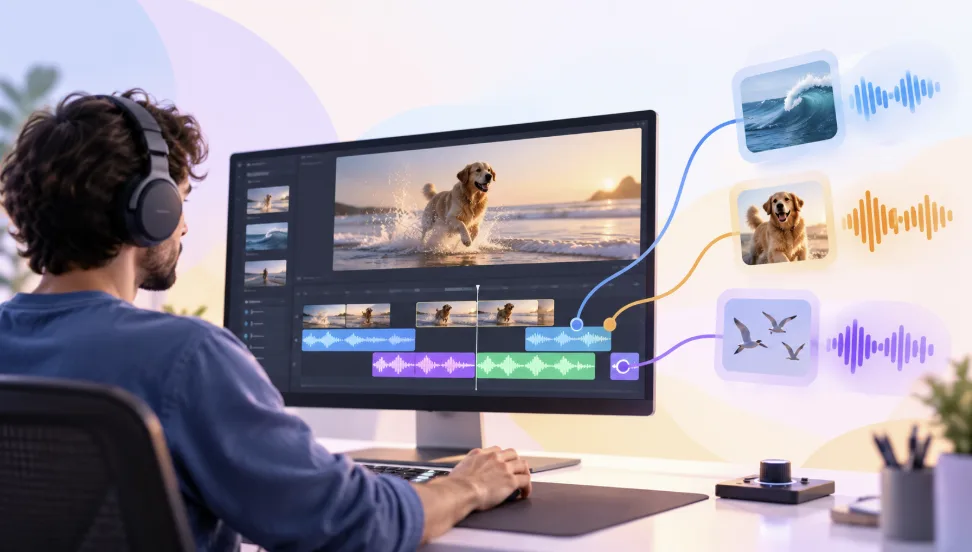
How to Add Sound Effects to Video Without Overdoing It
Sound effects in video are the short sounds placed at specific moments, such as impacts, whooshes, clicks, and ambient beds, that make the picture feel more real, more energetic, or more clearly paced. A well-placed effect is almost invisible: viewers feel that a title landed or a scene had room around it without ever noticing the sound itself. A poorly placed one does the opposite, pulling attention away from the story and making a video feel cluttered.
The difference usually comes down to restraint. Most videos don't need more sound effects, they need the right few, set at the right level, in the right place. What follows looks at why effects get overdone, what each one is actually for, how effects sit alongside dialogue and music, and why a lighter soundtrack so often sounds more professional.
Why Sound Effects Get Overdone
Sound effects are easy to add and satisfying to hear, which is exactly why they pile up. Every transition gets a whoosh, every title gets an impact, and every cut gets a click, until the soundtrack is constantly busy and nothing stands out. Large effect libraries make this easier still, since there's always another sound that seems like it might fit.
Overdoing it also hides in the details rather than the obvious choices. An effect that is slightly too loud, slightly too long, or slightly out of sync is a small problem on its own, but several of them together make a mix feel amateur. Treating each effect as a deliberate decision, rather than a default, is what keeps a whole soundtrack clean.
What Each Effect Is Actually For
Effects tend to serve one of a few purposes. When a sound doesn't fit any of them, it's usually decoration, and decoration is where overdone mixes start.
| Purpose | What it does | Example |
|---|---|---|
| Emphasis | Draws attention to a specific moment | A soft impact when a key title appears |
| Realism | Makes an on-screen action feel physical | A click when a button is pressed, footsteps on a floor |
| Transition | Smooths or marks a change between scenes | A short whoosh on a deliberate motion cut |
| Atmosphere | Gives a scene a sense of place | Room tone, street noise, or a quiet ambient bed |
| Pacing | Adds rhythm without adding words | A subtle tick or riser that builds toward a reveal |
One revealing test is to play a section with the effect muted. If nobody would miss it, it wasn't doing a job.
How Effects Sit Alongside Dialogue and Music
Spoken words carry the meaning in most videos, so the voice has to stay clear and easy to follow. Sound effects work best as support, sitting beneath the dialogue and music rather than competing with them. A common order of priority runs from dialogue first, to music second, to effects last.
In practice, that means effects are heard but never distract from what someone is saying. An effect set low and raised only until it's noticeable usually sits better than one set loud and pulled back. Effects that land during speech deserve the most caution, since even a short sound can mask a word.
Music and effects can clash as well. If a music track already has strong hits or risers, adding separate impacts on top can make the mix feel crowded. Choosing one or the other for a given moment keeps things cleaner.
What Makes an Effect Feel Like Part of the Picture
Timing, space, and position are what make a sound effect feel like it belongs in the video rather than sitting on top of it.
Timing. An effect lands best on the exact frame of the action it supports. A click that arrives slightly late feels wrong even when viewers can't say why, which is why placing effects against the waveform and the video frame together matters.
Space. A sound recorded in a dry studio feels out of place in a video set in a large hall. A touch of reverb helps an effect match the room on screen, while a close, intimate scene usually wants a drier sound.
Position. When something moves across the screen, a sound that pans in the same direction adds realism. Effects tied to a centered subject usually stay centered, so the picture and the sound agree about where things are.
How Effects Get Shaped to Fit the Mix
Most effects need a little shaping before they sit comfortably. Fades at the start and end soften an effect so it doesn't pop in or cut off abruptly, and crossfades help ambient beds blend from one scene into the next. Equalization carves out space too: reducing low rumble from an effect, or trimming frequencies that overlap with the voice, keeps it from muddying the dialogue.
A consistent palette matters as well. A small set of related sounds used across a video gives the soundtrack a coherent character, while a different style of effect at every moment makes it feel like a collection of unrelated clips.
Why Restraint Reads as Quality
Silence and sparse sound are part of what makes effects work. When a soundtrack has gaps, the effects that do appear carry weight, because they stand out against the space around them. A soundtrack filled end to end flattens that contrast, so even strong effects stop registering.
Consistency plays a role too. Viewers pick up on patterns quickly, and an effect repeated at every transition shifts from useful to predictable. Varying where effects appear, and leaving some transitions clean, keeps each one meaningful. This is also why professional mixes often sound simpler than amateur ones: they contain fewer elements, each chosen and balanced with care.
Invideo Editor: Placing and Mixing Effects in One Timeline
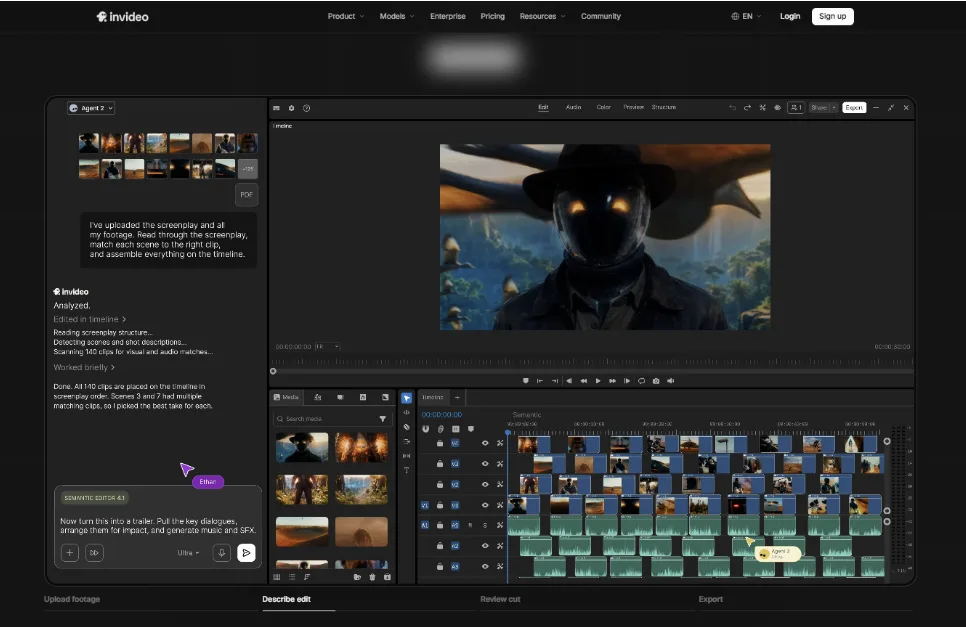
Invideo Editor puts effects, dialogue, and music on a single multitrack timeline, and its agentic audio editing lets an agent place and mix sounds from a plain-language request, with every result staying editable by hand. Everything from ambience to final levels happens in one project, rather than across separate tools.
Key features:
Sound effects added from a prompt, such as an impact for a title reveal or ambience beneath a scene
Separate tracks for voice, music, and effects, with buses, dB faders, and loudness metering for balancing levels
Agentic audio ducking that lowers music beneath speech and brings it back during pauses, with a Ducker effect for manual refinement
Fades and crossfades for softening effects and blending ambient beds between scenes
Eight-band parametric EQ, plus compression and click removal, for shaping effects so they fit the mix
Stereo panning and volume or pan automation with keyframes, so a sound can follow movement on screen
Reverb effects that place a sound in a believable space
Mute and solo controls for checking each track on its own, plus level meters and a limiter for finishing the mix
Shared workspaces and review links with timestamped comments, so a team can point to exactly where an effect needs to change
Because the agent works directly on the timeline, a request like "add a soft impact on the title and some room ambience under the interview" produces tracks and clips that can be inspected, moved, and adjusted, instead of a locked result.
Signs a Mix Has Too Many Effects
A few patterns account for most overdone mixes. A whoosh on every transition is the most familiar, since repeating the same effect quickly becomes noticeable. Effects sitting louder than the dialogue is another, and it tends to happen when levels are set on one pair of speakers and never rechecked on others. Several layers stacked on a single moment can make it muddy rather than powerful, and a soundtrack with no gaps of silence leaves effects with nothing to stand out against. Finally, an effect that adds nothing is hard to spot until it's removed, which is why muting the effects track is such a useful check.
FAQ
How many sound effects should a video have?
There's no fixed number. A useful guide is to keep only the effects that serve a clear purpose, such as emphasis, realism, or atmosphere, and leave out any that nobody would miss if they were muted.
Should sound effects be louder than music?
Not usually. A common order of priority is dialogue first, then music, then effects, with effects supporting the mix instead of competing with it.
What makes a sound effect feel natural in a scene?
Three things: timing to the exact frame of the action, reverb that suits the room on screen, and panning that follows where the action happens.
Can Invideo Editor add sound effects automatically?
Yes. Invideo Editor can place sound effects on the timeline from a plain-language request, and the effects appear as editable clips, so any of them can be moved, shortened, or removed by hand.
What's the quickest way to tell if the effects are overdone?
Mute the effects track and watch again. If the video feels fine, or even clearer, the effects are doing too much, and removing a few will usually improve the mix.